> ## Documentation Index
> Fetch the complete documentation index at: https://bsncraft.com/llms.txt
> Use this file to discover all available pages before exploring further.
# Version 6.0 Features
> New UI and x64 support
# Functional Highlights
BusinessCraft Version 6 is a major product release in development over
the past few years and has undergone extensive testing including beta
customer sites over the past 12 months.
We thank those customers who participated in the beta testing as they
helped uncover issues that only tend to become evident in real world
usage.
Whilst the major changes in the product are technical in nature, there
is still a significant impact on functionality either in terms of screen
appearance and layout or actual functionality changes that have become
possible through the technical changes implemented.
This includes:
* Home Screen provides new features for desktop shortcuts
* Finders provide improved options for user, profile, and company
searches
* New Contract Creation wizard in Contract Management Console
* Simple Search Feature
* Saved Layouts for Consoles and Finders
* Increased Excel style grid screens providing ease of use
* Improvements to help screens, messages, and dialogue boxes
* Improved options for starting and stopping debugs
* Copy Master Data from one dataset to another
* Notifications
* New streamlined import process
* SQL query capability from within BC
* New Banking Console with Banks Feeds available soon
* New Tasks and Reminders coming soon
* Dark Mode coming soon
# Technical Highlights
The aim of Version 6 was to take a large step to future proof and
modernise our platform.
This includes:
* Code refactoring
* Replacing older technologies
* Increasing robustness and security (2FA)
* Modern build and coding tools
* 64-bit release option that will allow a greater amount of memory to be
used
* Removal of obsolete ActiveX controls
* Redesign of the interaction between the .Net Framework and BC native
code to reduce memory retention.
* Use of latest DevExpress Control Suite bringing optimization to the
grids, dashboards, and the layout engine.
* New windowing system for classic screens to improve speed and
appearance.
# User Interface
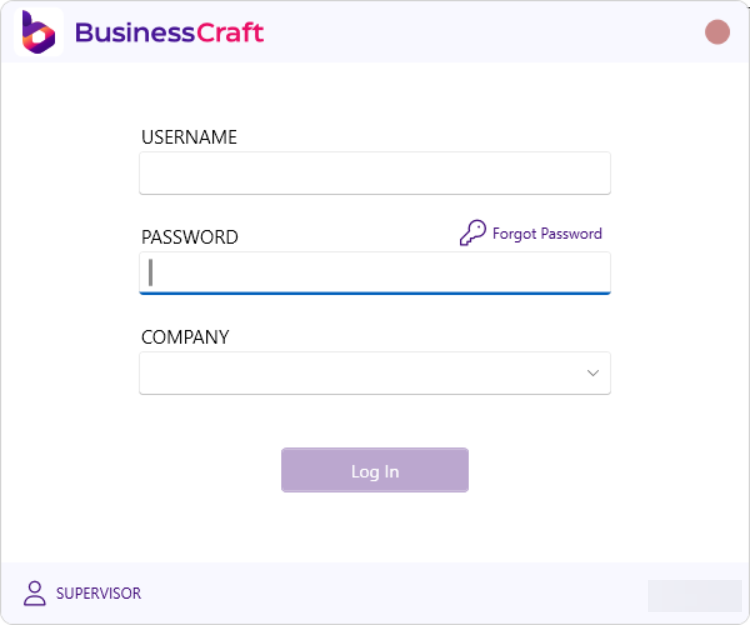
## Improved Login Screen
 ## Improved Navigation
* Autohide top menu bar
* Icons for Online Documentation, BC Client Portal, Settings, Save
Settings, and Profiles
* Fast switch between datasets
* Improved prompt to prevent accidental logout
## Improved Navigation
* Autohide top menu bar
* Icons for Online Documentation, BC Client Portal, Settings, Save
Settings, and Profiles
* Fast switch between datasets
* Improved prompt to prevent accidental logout
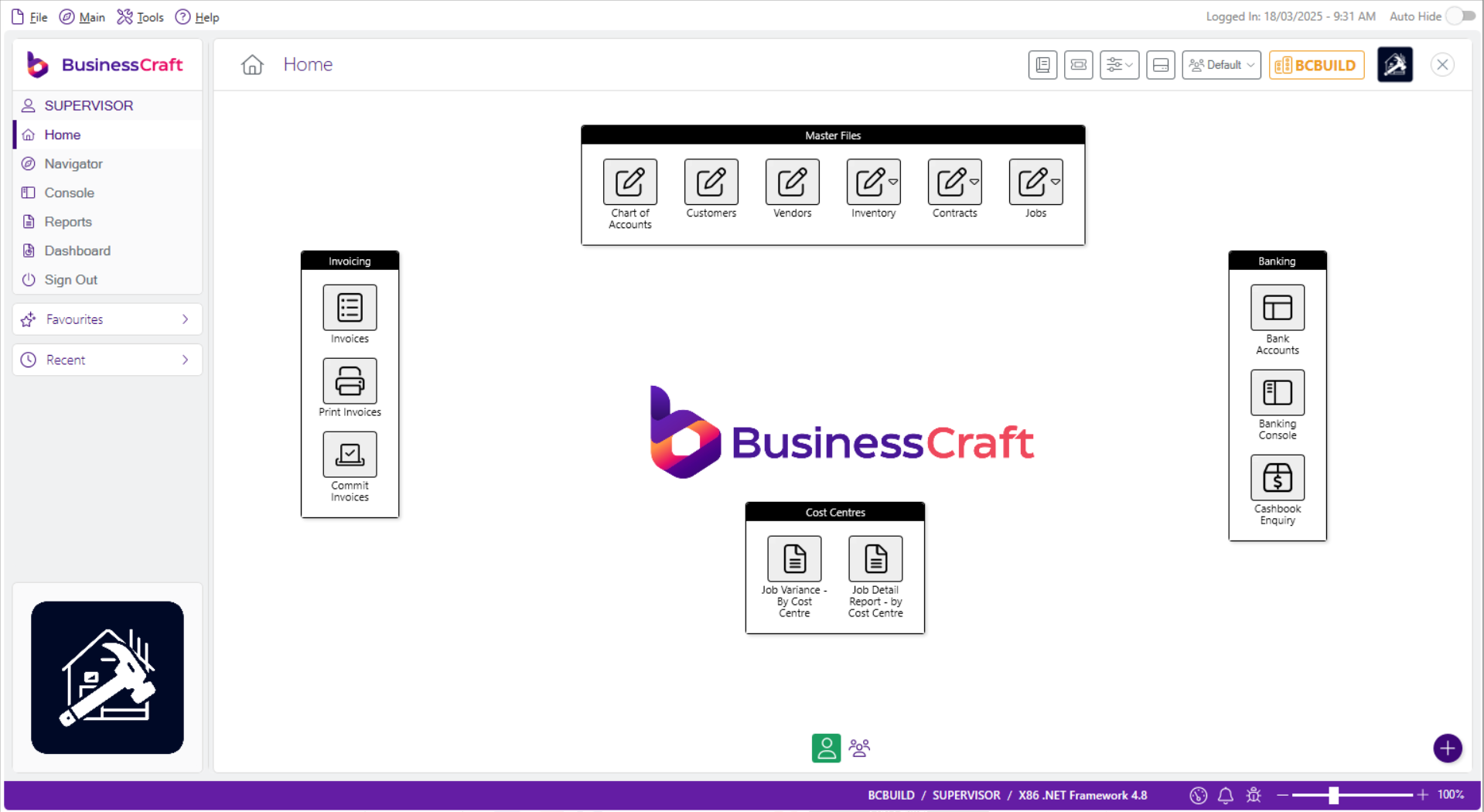 * User and Profile Icons
* Status Bar contains Dataset, User, Technical Details
* Icons for Memory Usage, Notifications and Debugs
* Screen Magnifier Slider
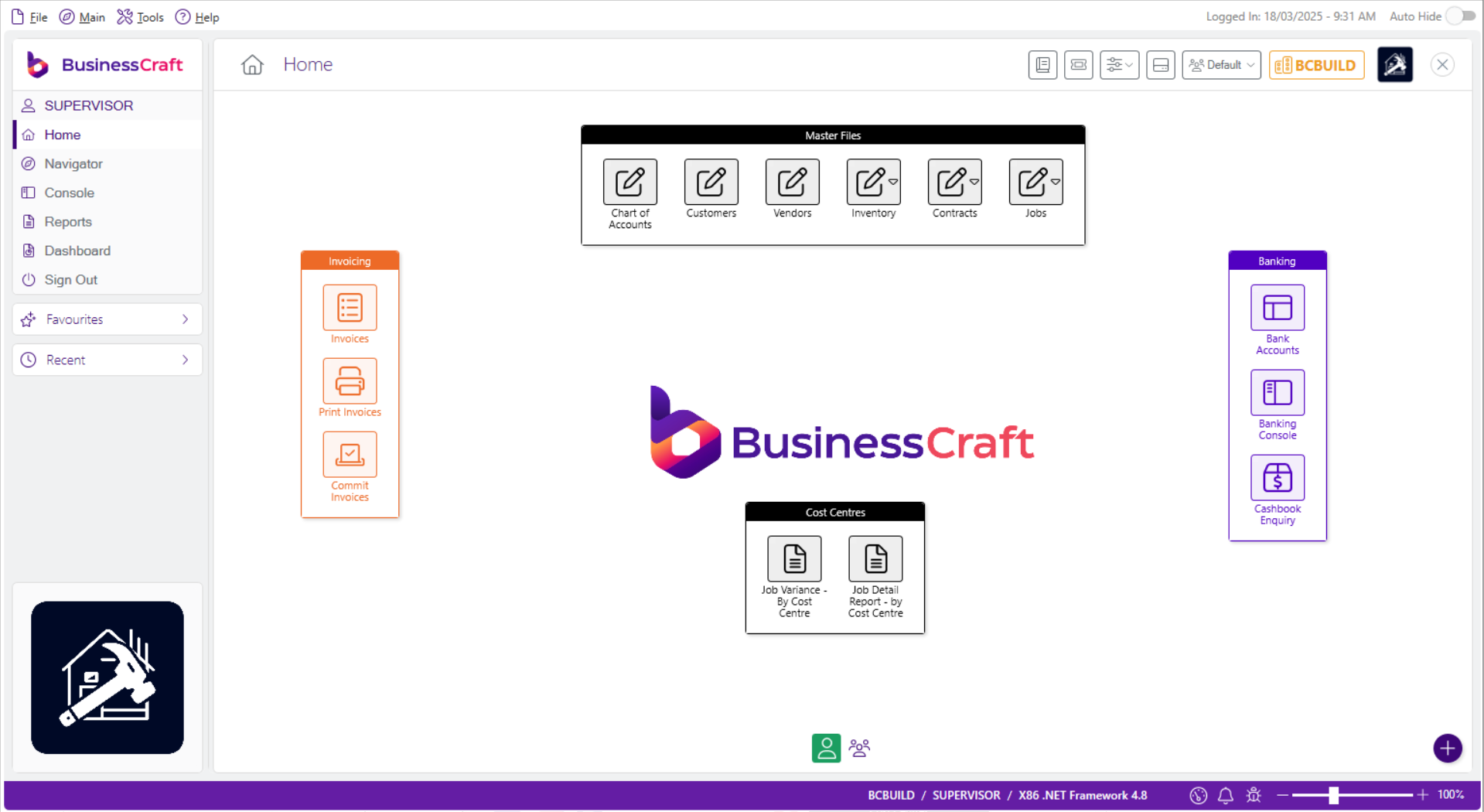
## Grouping and Colours available for Home screen shortcuts
* User and Profile Icons
* Status Bar contains Dataset, User, Technical Details
* Icons for Memory Usage, Notifications and Debugs
* Screen Magnifier Slider
## Grouping and Colours available for Home screen shortcuts
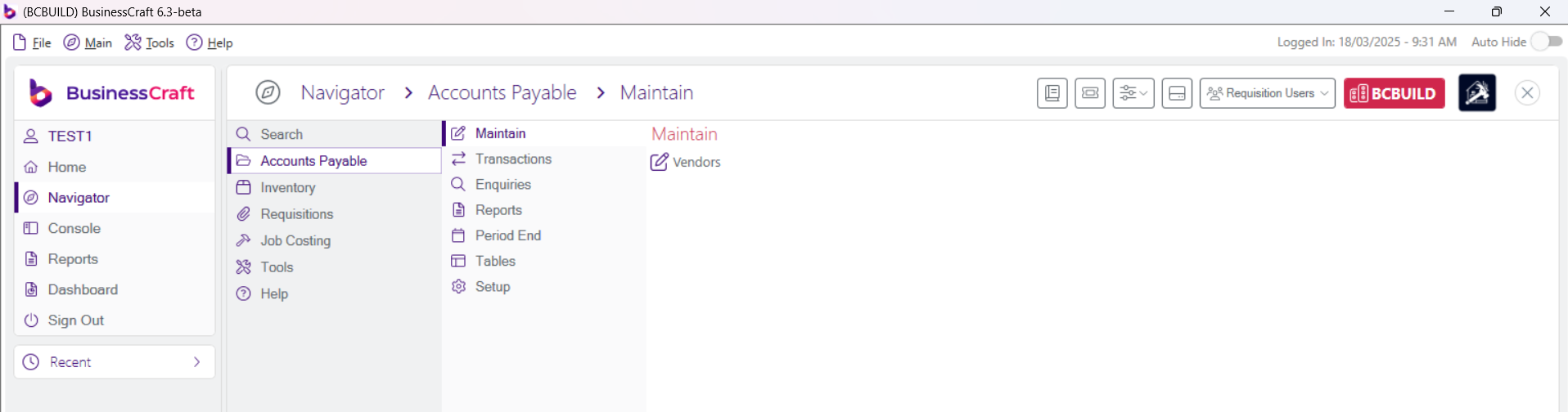
 ## Navigator - only permitted menu items are displayed
 ## Right Click on Desktop now offers import options (subject to security):
* Shortcuts
* Groups
* Layout
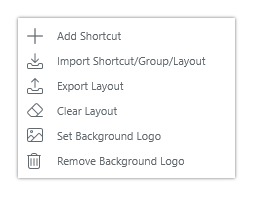
## Right Click on Desktop now offers import options (subject to security):
* Shortcuts
* Groups
* Layout
 ## User and Profile Icons on Desktop
Switch between user and profiles desktop layout
## User and Profile Icons on Desktop
Switch between user and profiles desktop layout
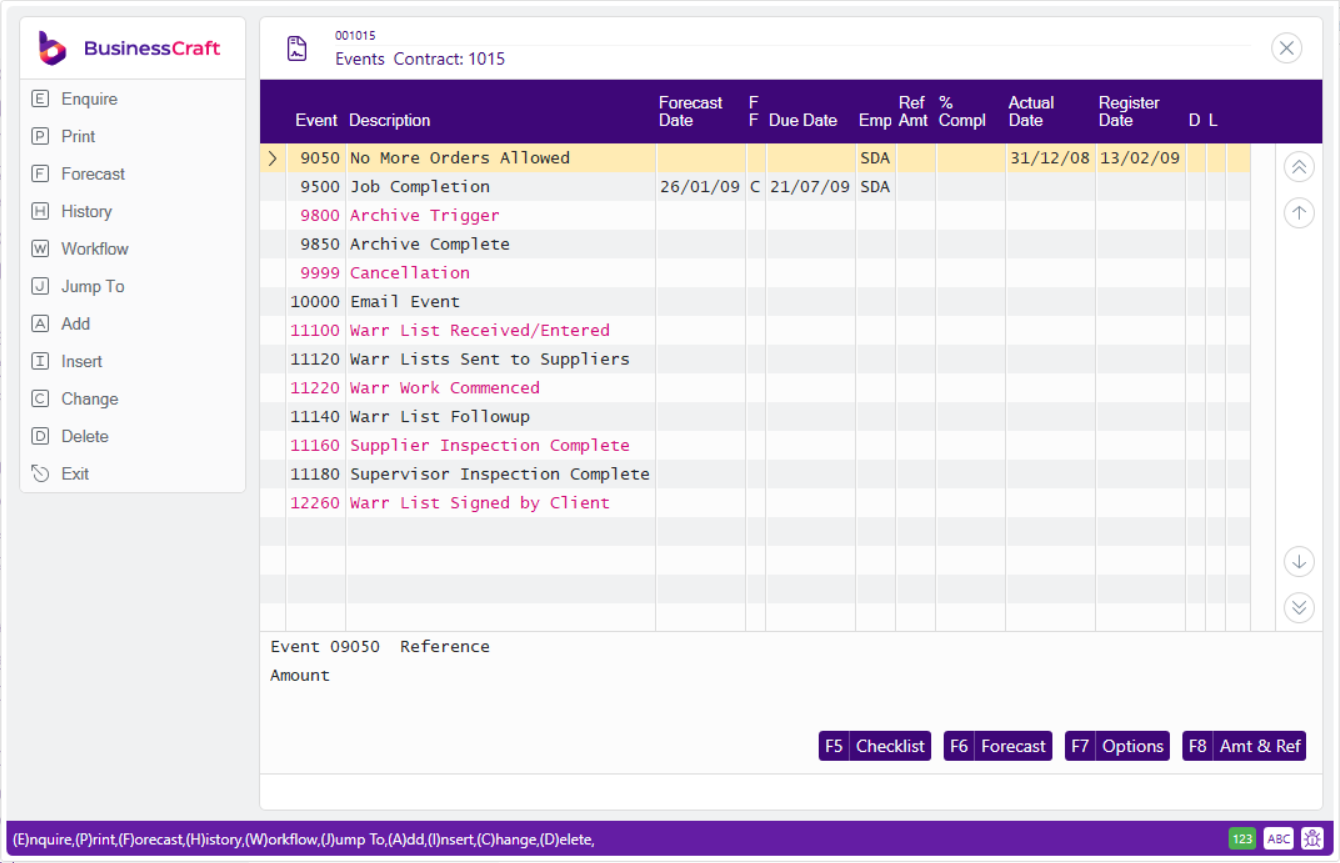
 ## Improved User Interface for Classic Screens
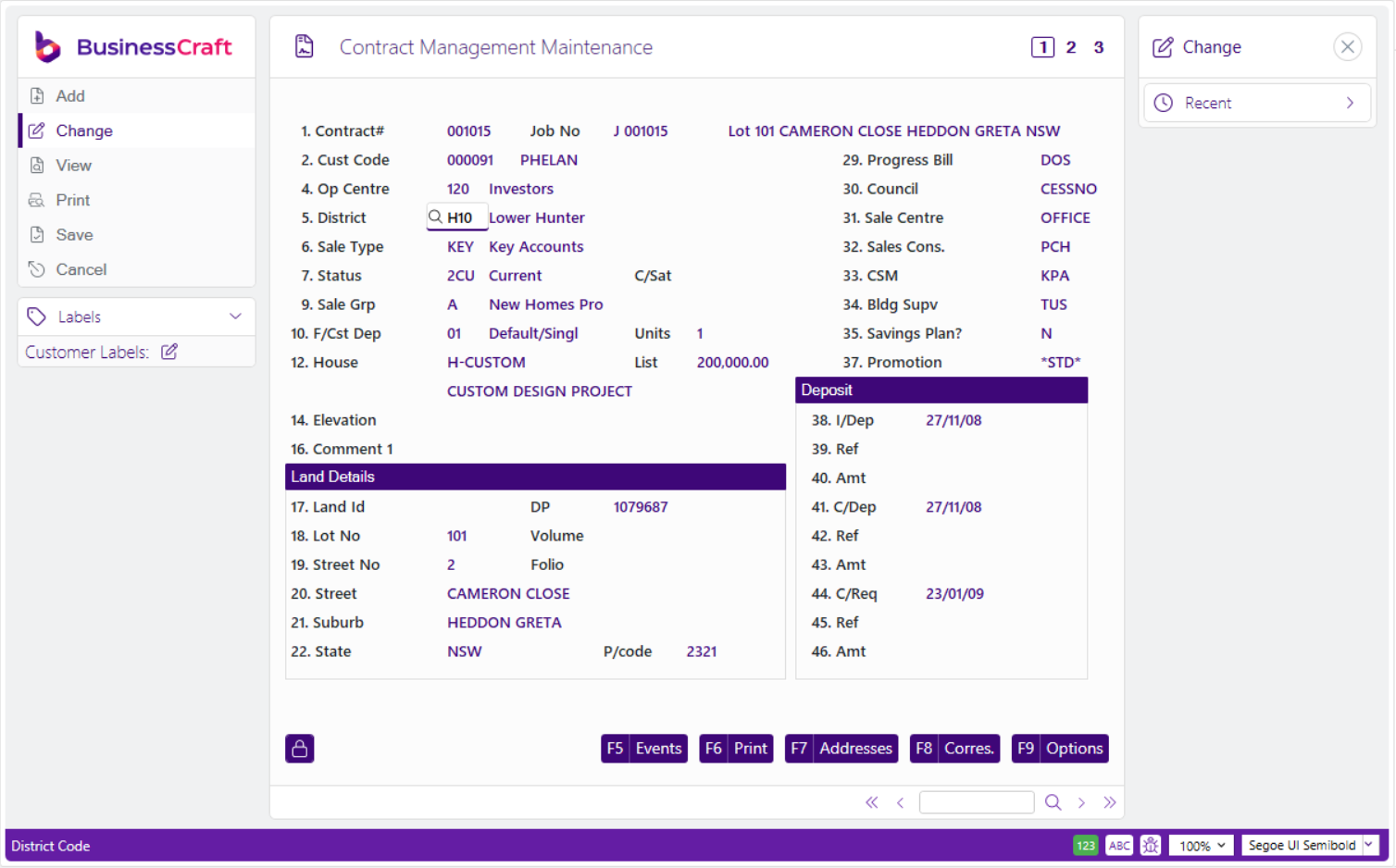
 ## Font Selection Available for Classic Screens
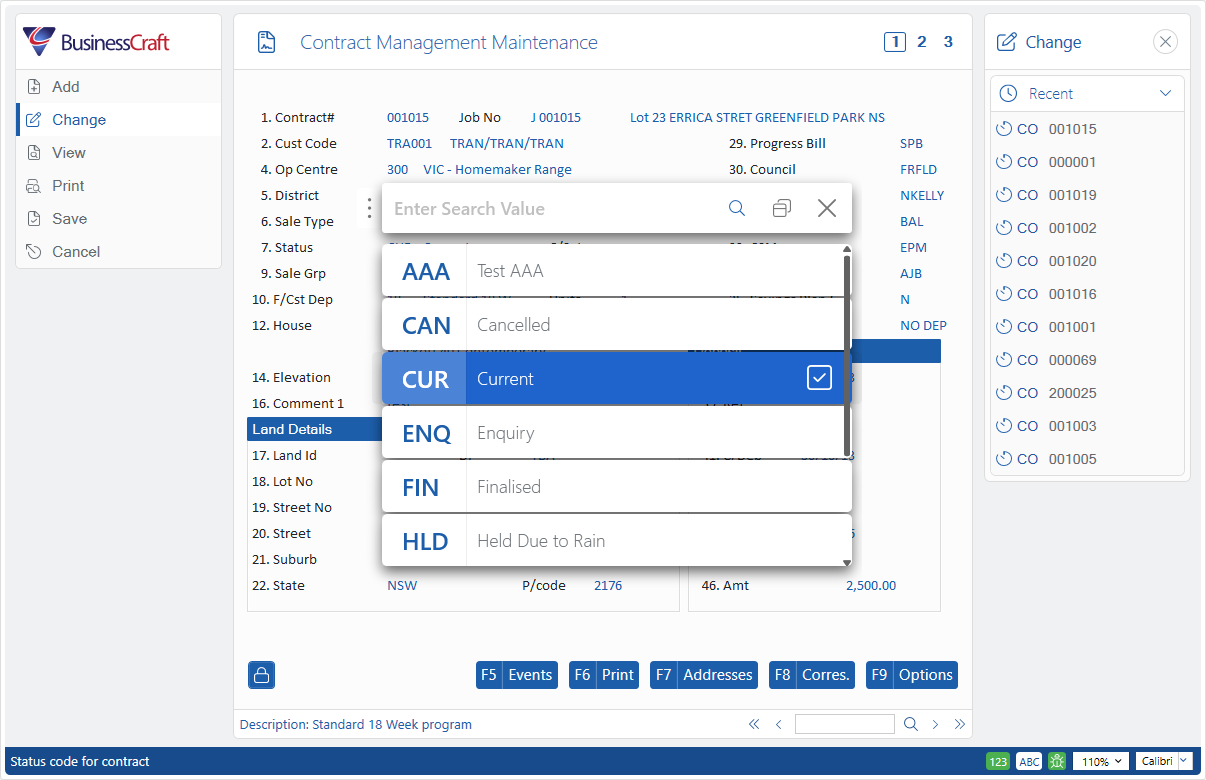
 ## Simple Search and Lookup
Switch quickly between simple search and traditional finder as needed:
## Simple Search and Lookup
Switch quickly between simple search and traditional finder as needed:
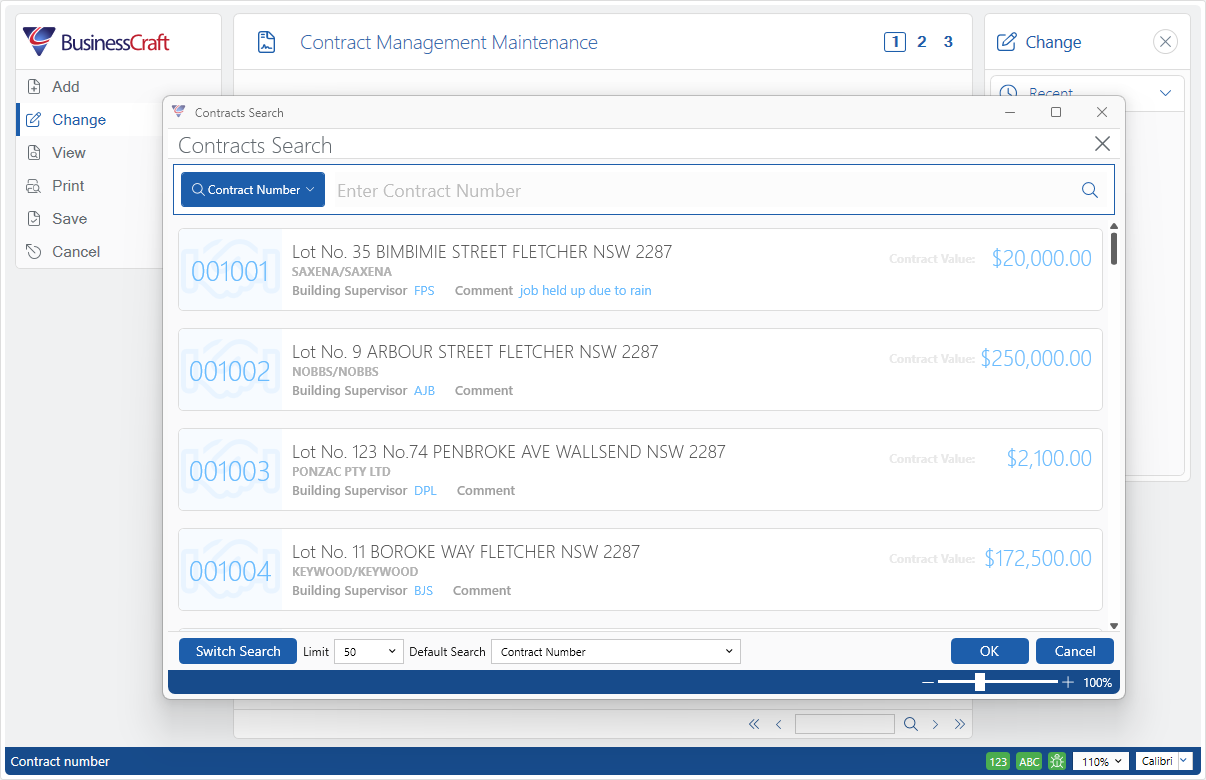 Switch quickly between simple lookup and traditional lookup as needed:
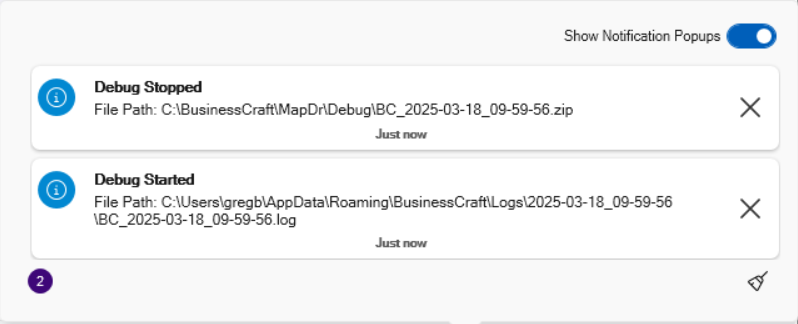
 ## Notifications
View Notifications with option to display or hide popups. Cleanup icon
provided.
## Notifications
View Notifications with option to display or hide popups. Cleanup icon
provided.
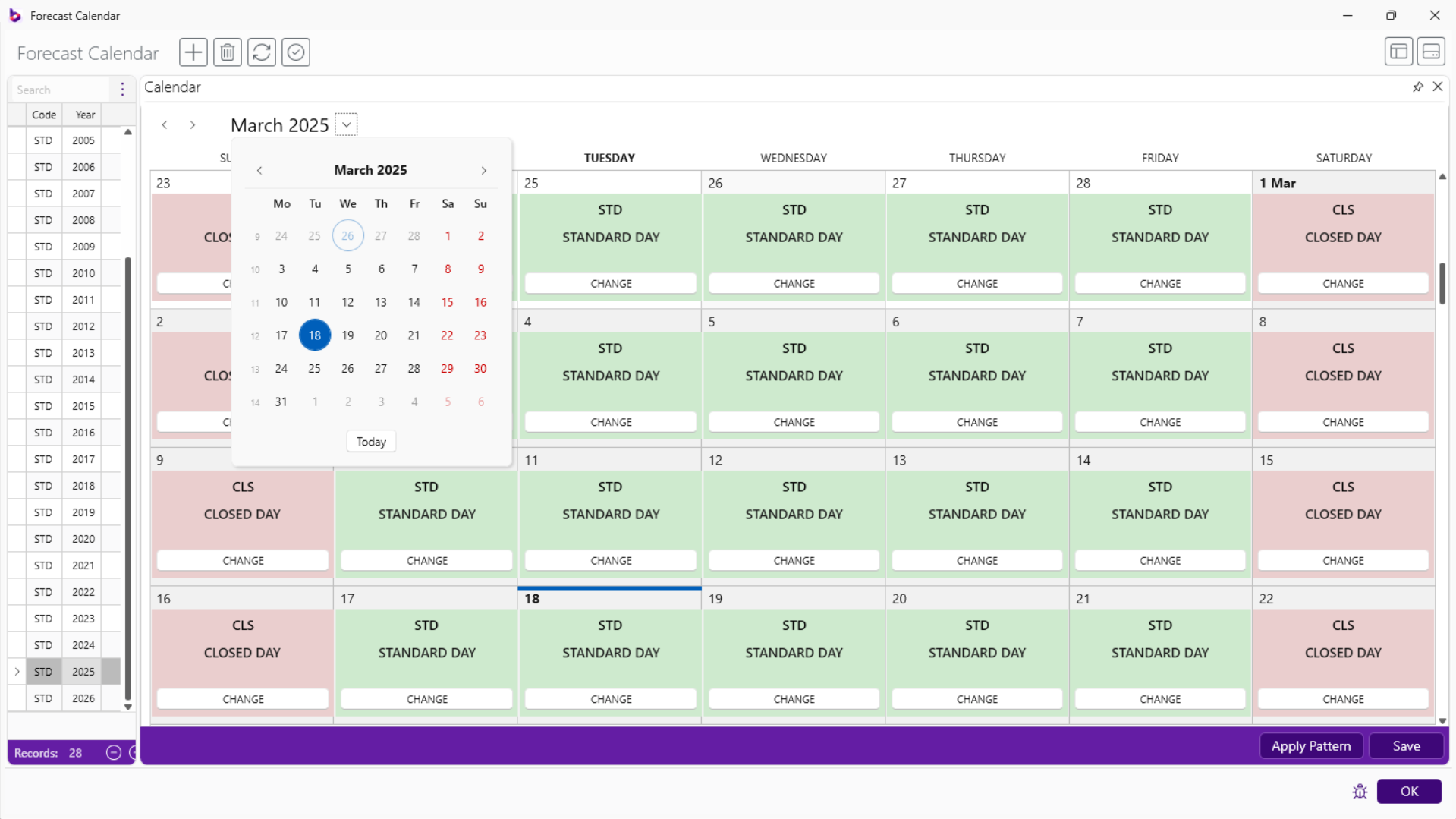
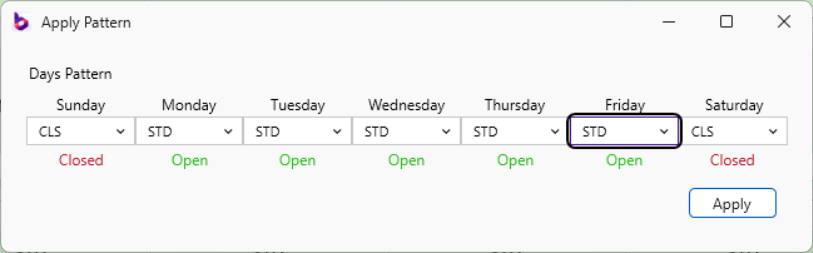
 ## Improved Contract Forecast Calendar Controls
Improved interface and apply pattern option to conduct mass changes.
## Improved Contract Forecast Calendar Controls
Improved interface and apply pattern option to conduct mass changes.
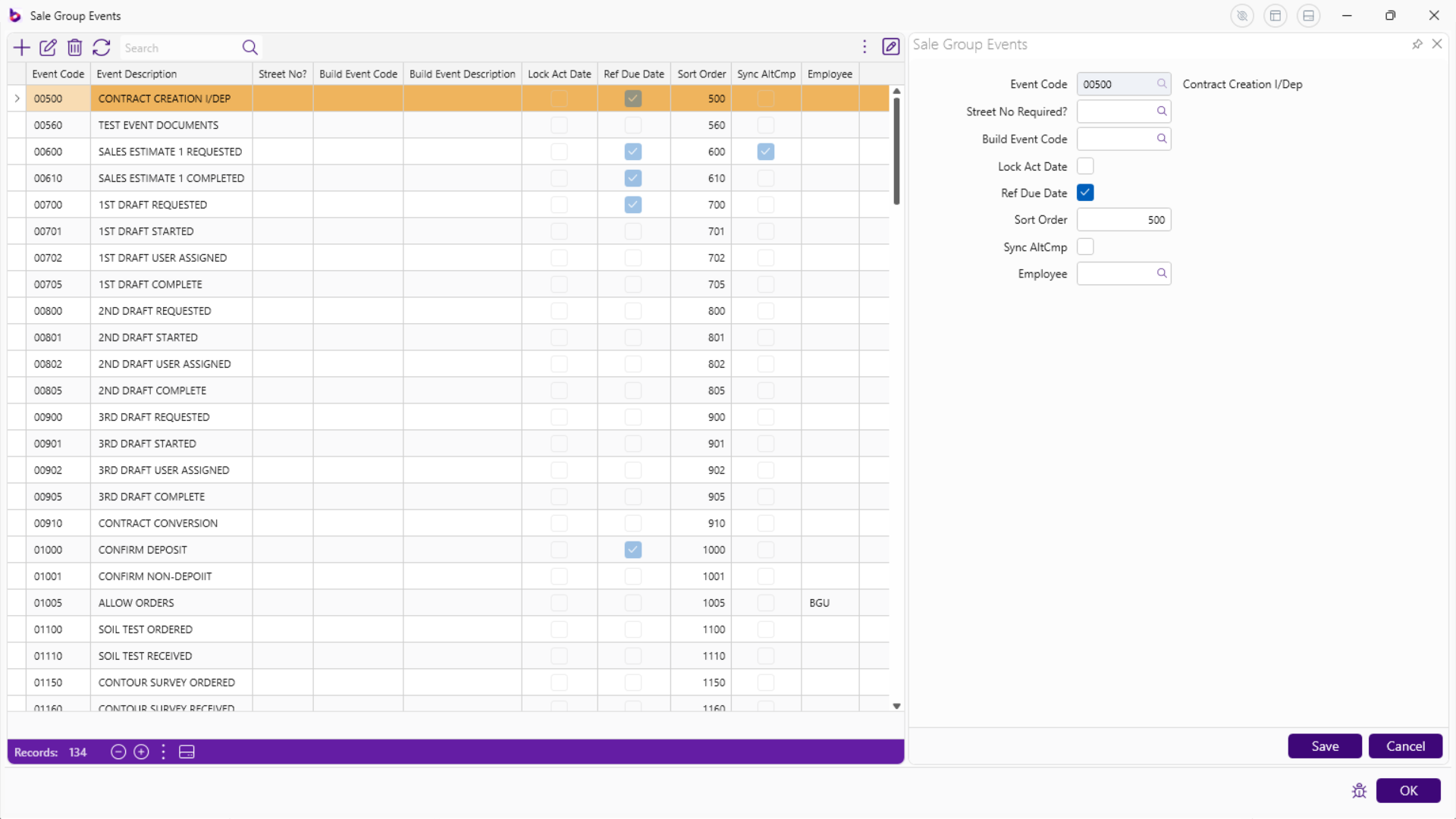
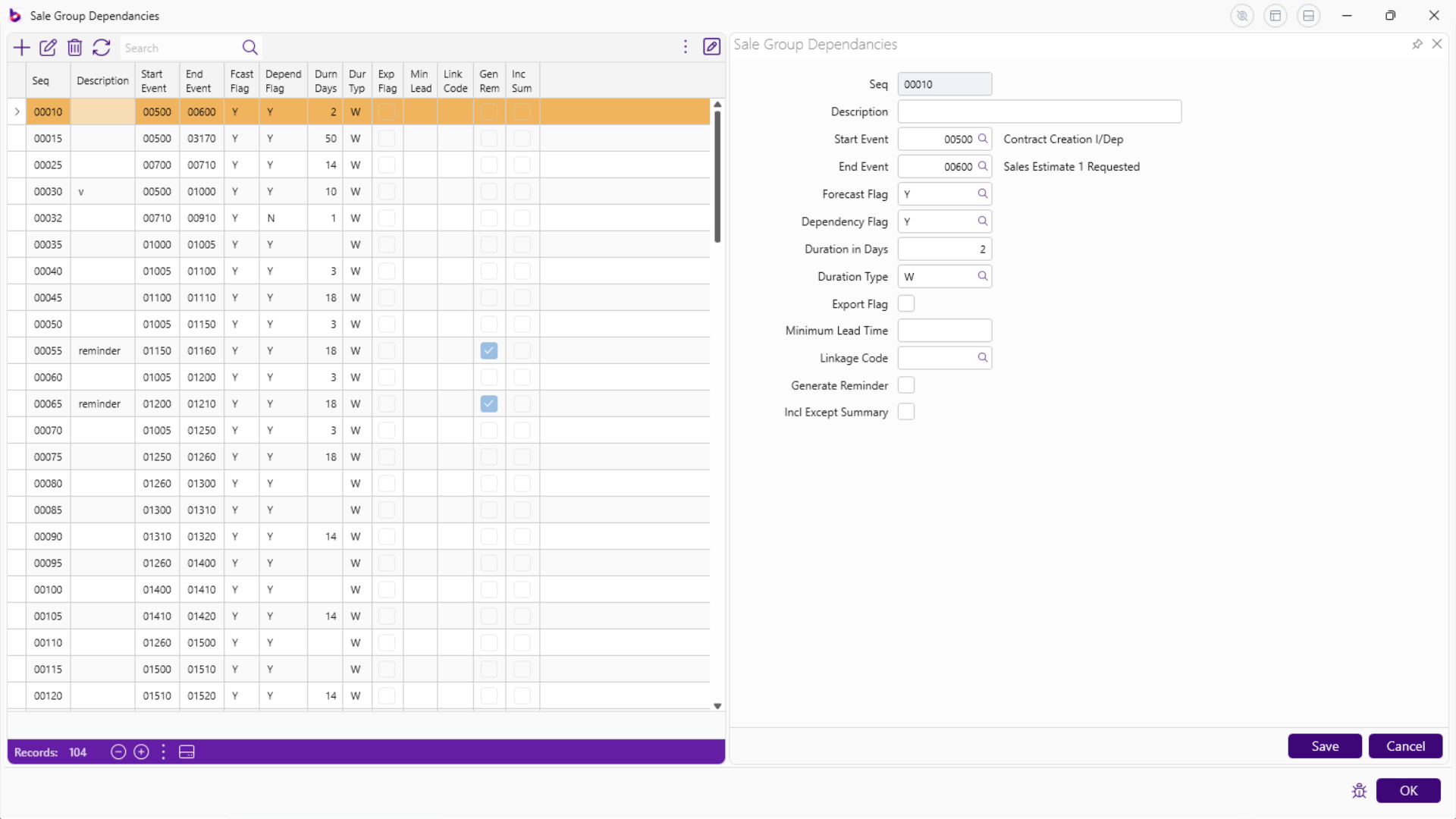
 ## Sales Group Grid Screens for Events and Dependencies
**Events**
## Sales Group Grid Screens for Events and Dependencies
**Events**
 **Dependencies**
 # Consoles
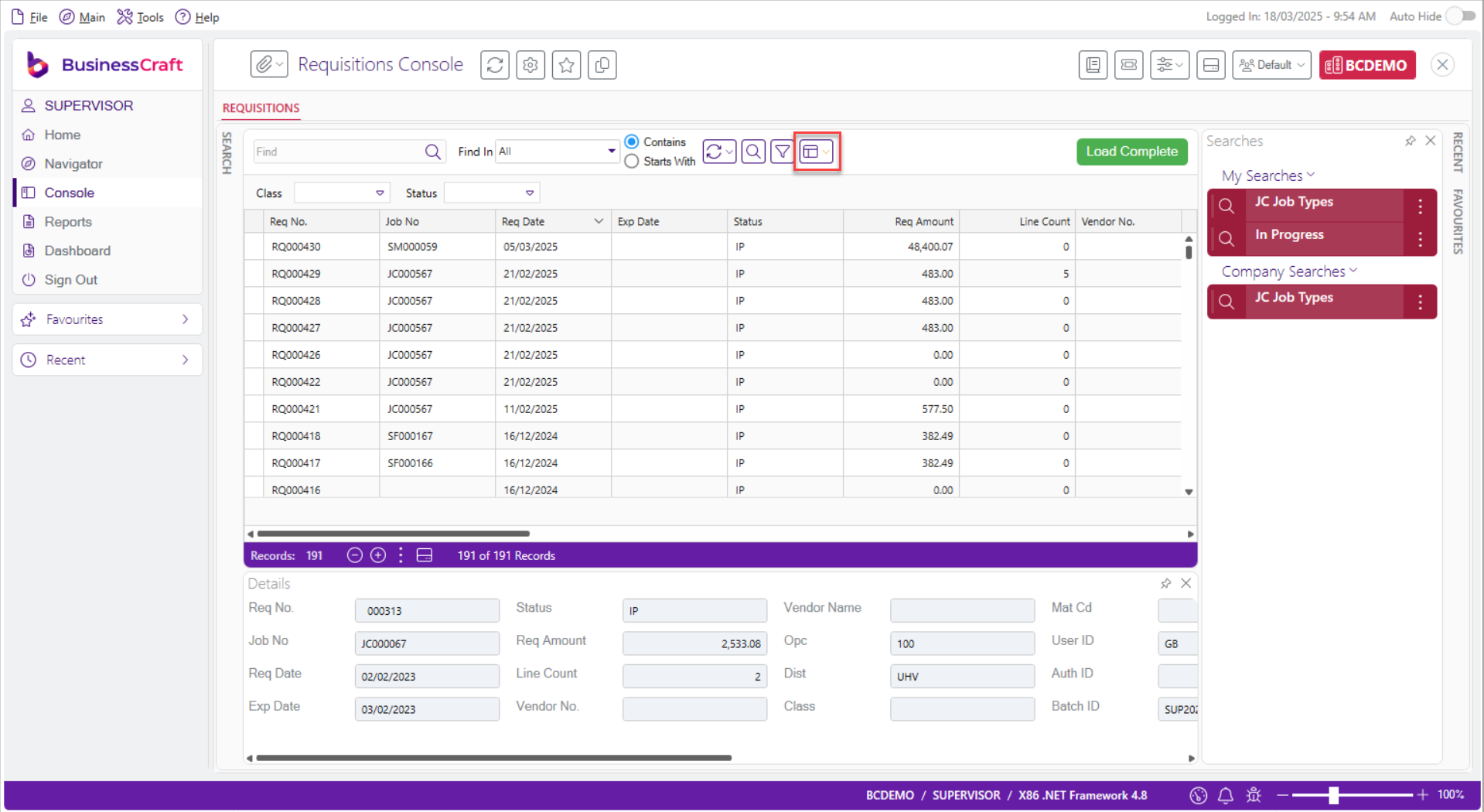
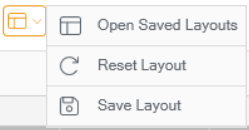
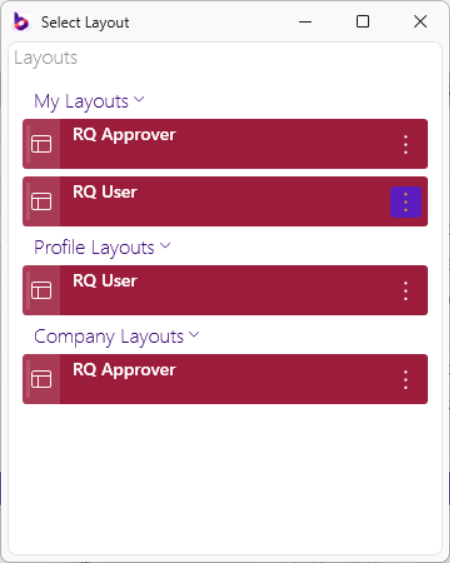
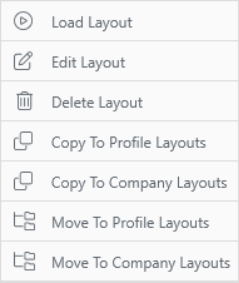
## Saved Layouts
Ability to save layouts, copy/move layouts to create Profile and Company
Layouts.
# Consoles
## Saved Layouts
Ability to save layouts, copy/move layouts to create Profile and Company
Layouts.
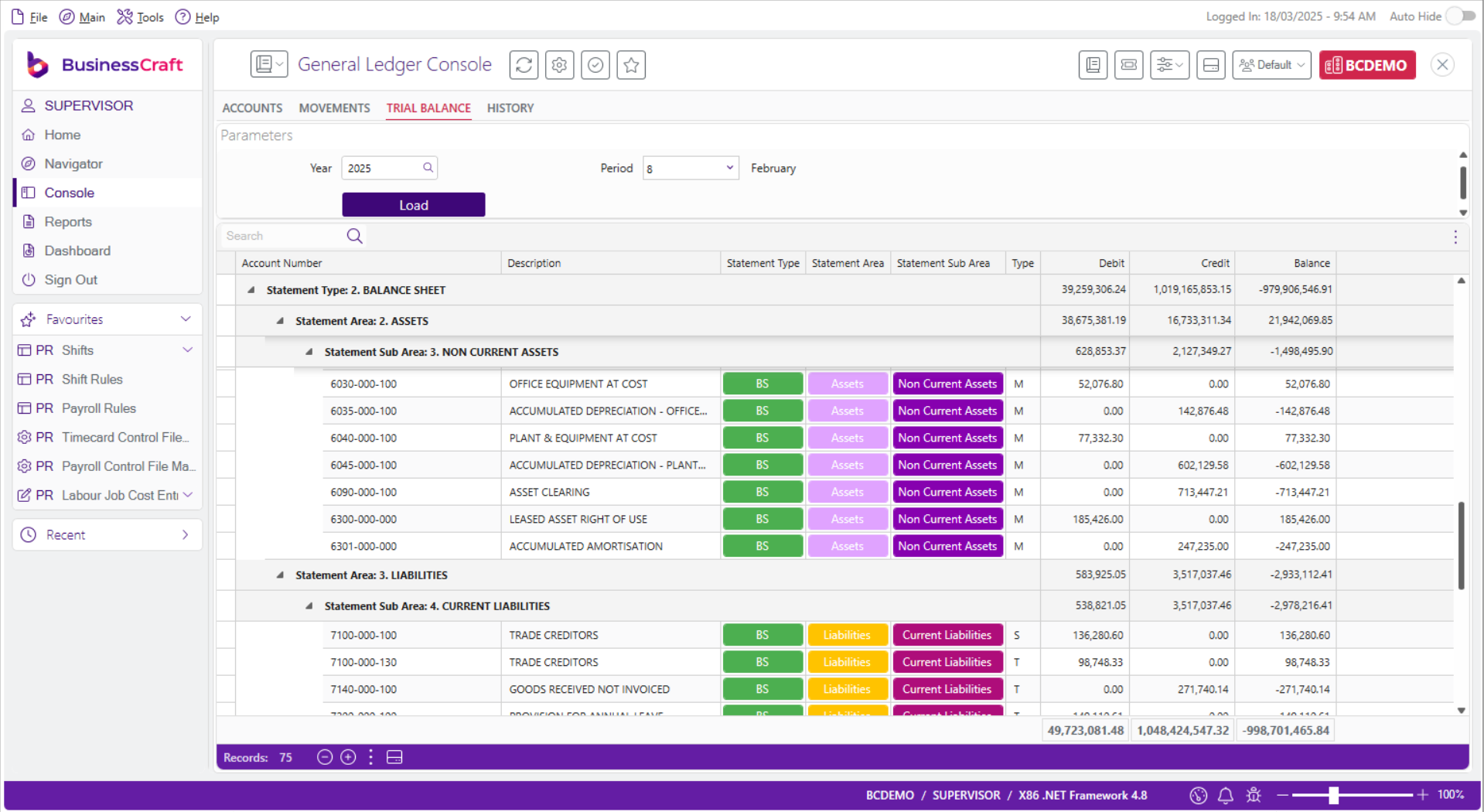
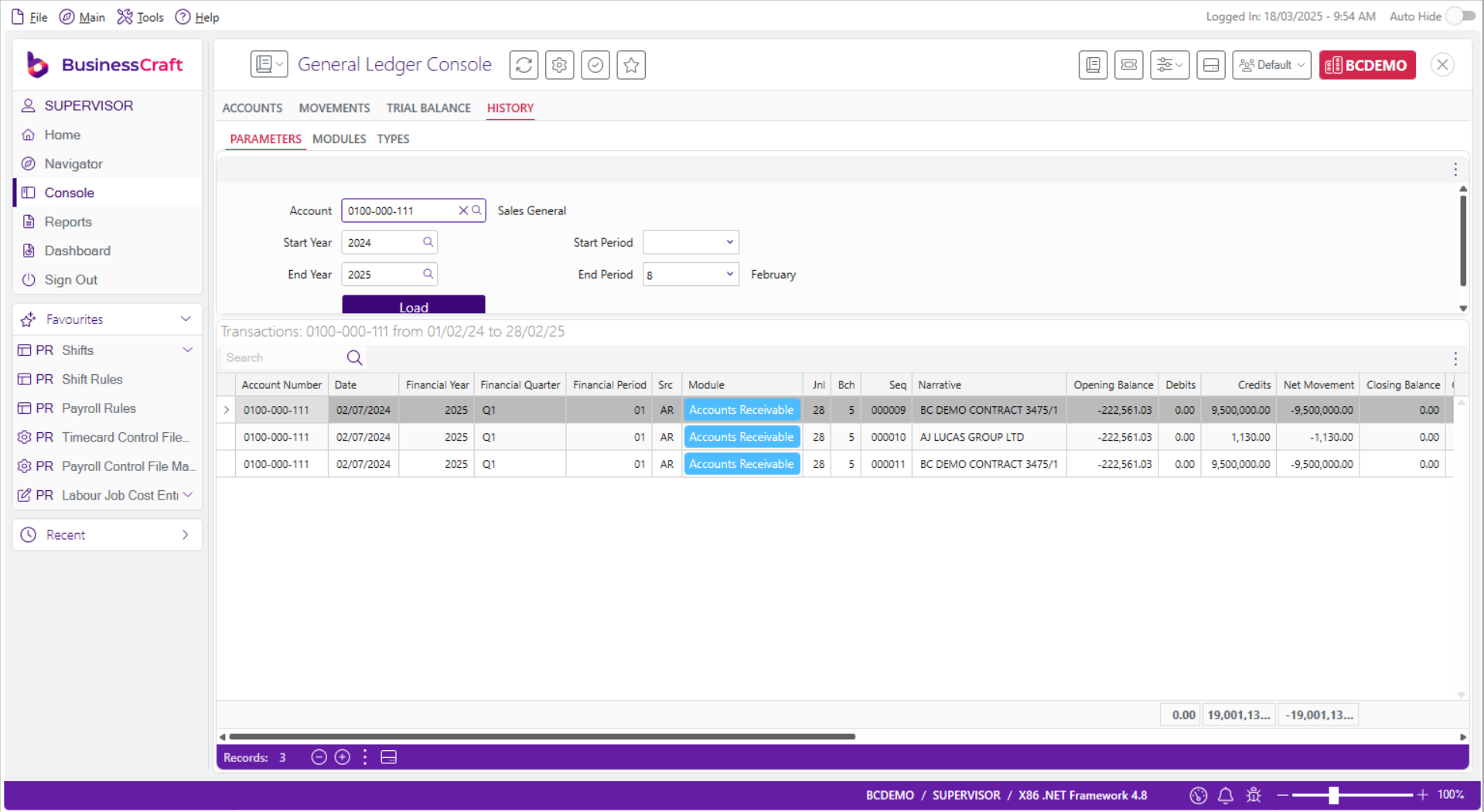
 ## General Ledger Console
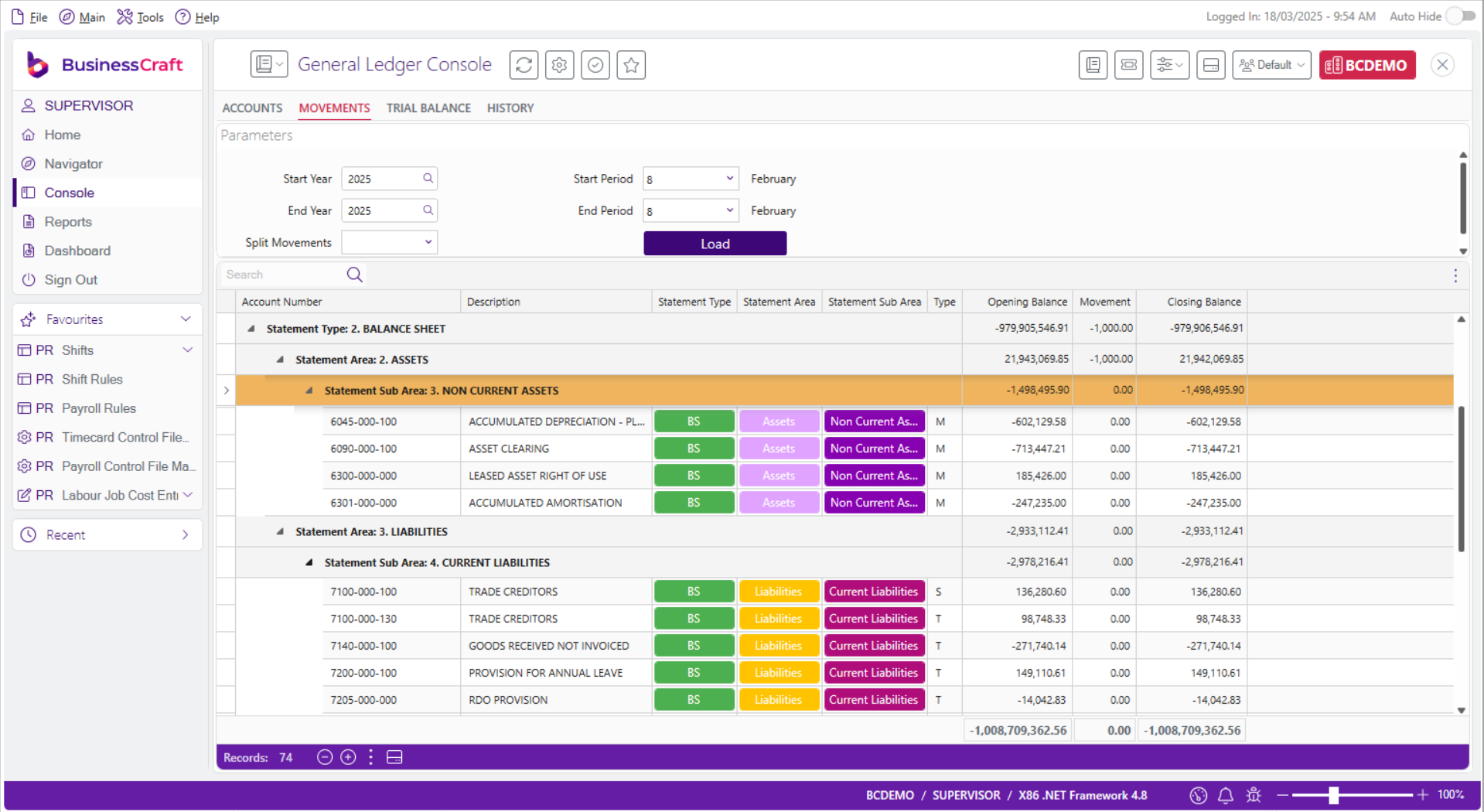
Improved General Ledger Console now with Movements, Trial Balance, and
History Tabs:
## General Ledger Console
Improved General Ledger Console now with Movements, Trial Balance, and
History Tabs:
 ## Estimating Console
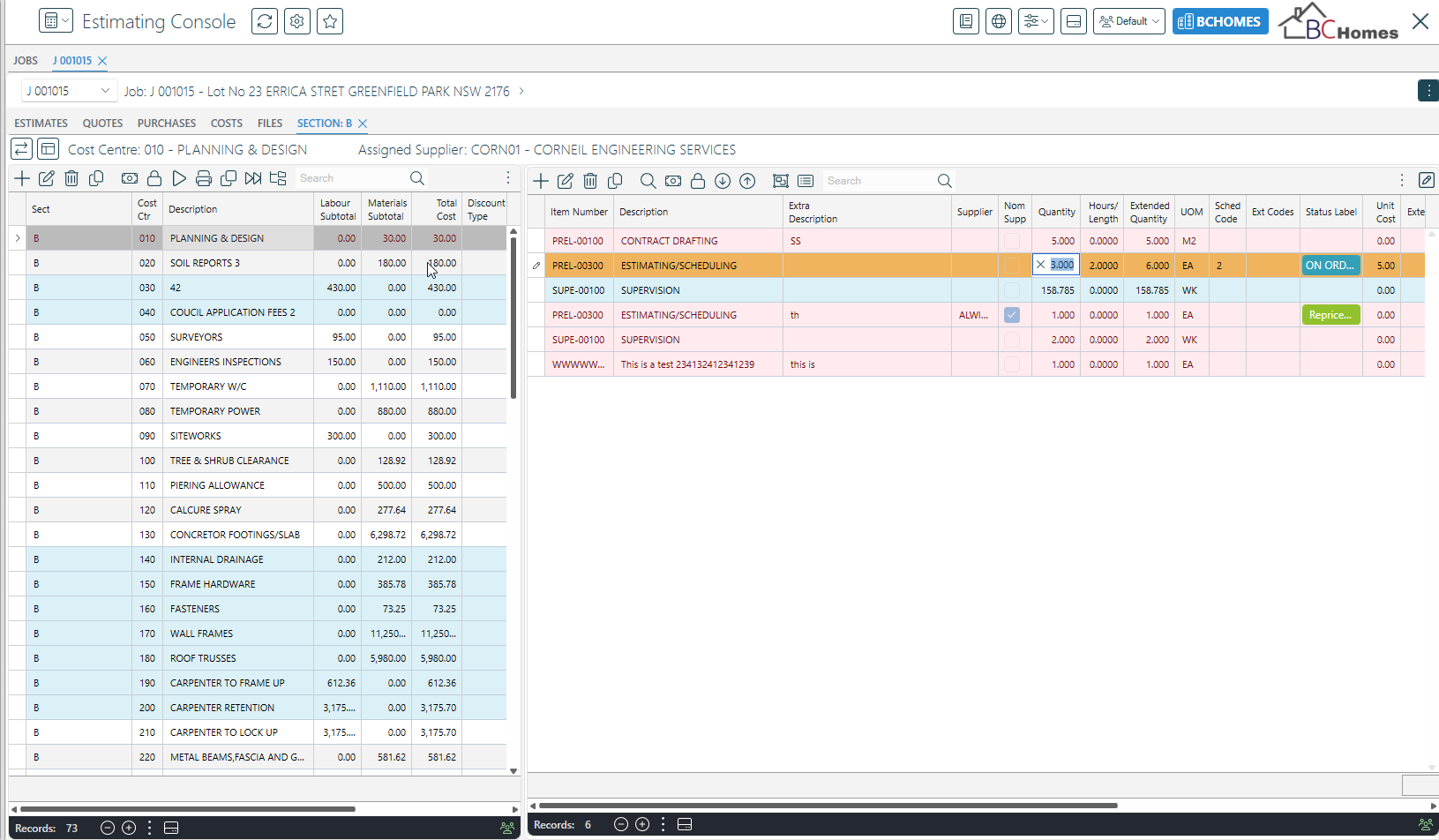
In-line Editing is now available in both Production and Sales Estimating
views
## Estimating Console
In-line Editing is now available in both Production and Sales Estimating
views
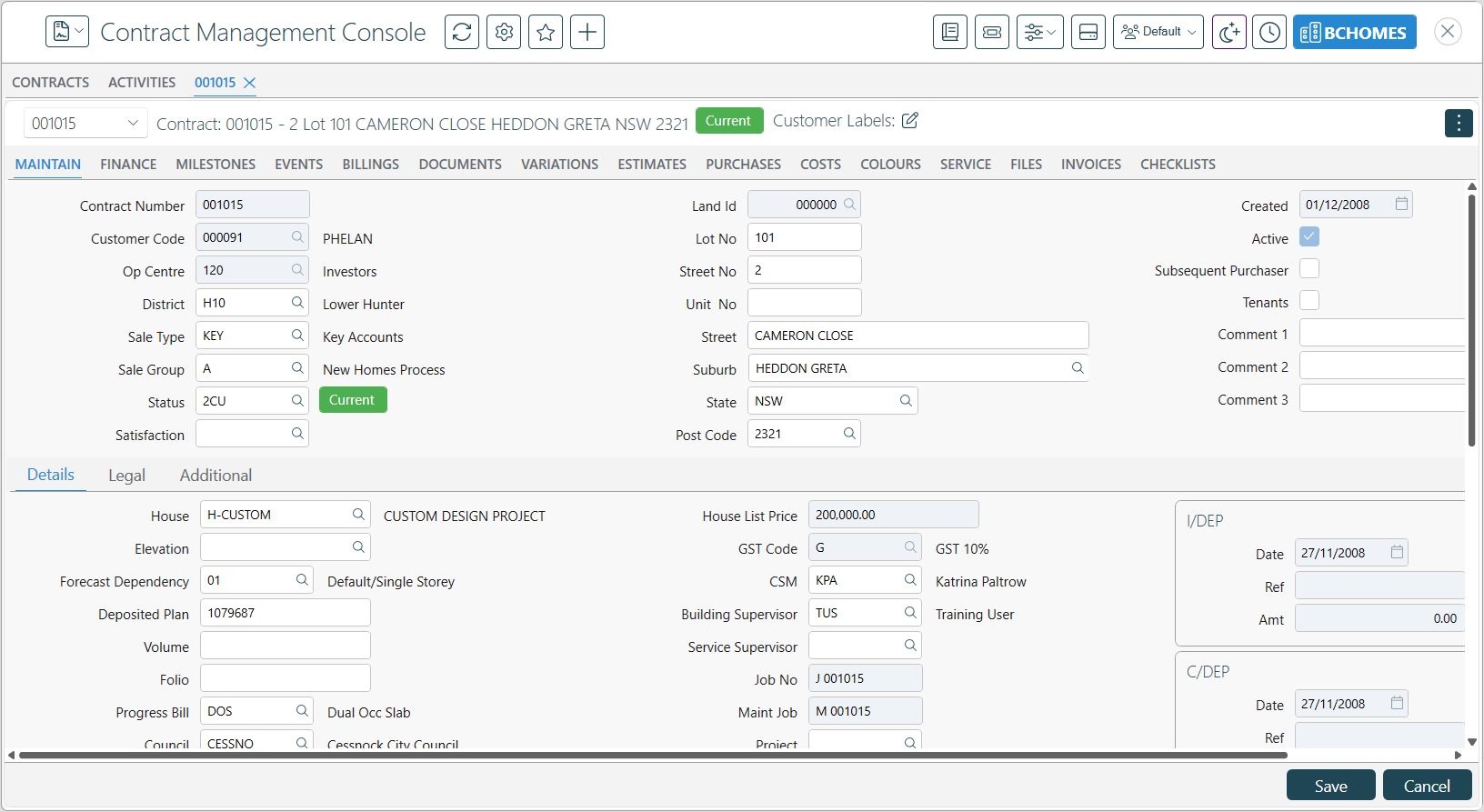
 ## Contracts Management Console - Maintain tab
Wherever possible, data in fields on the Maintain tab can be edited
## Contracts Management Console - Maintain tab
Wherever possible, data in fields on the Maintain tab can be edited
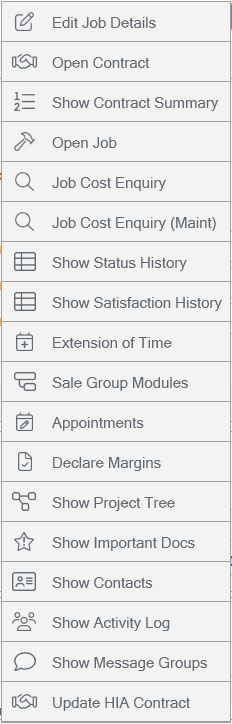
 ## Shortcuts Menu within Contract View
Three vertical dots in the top right-hand corner of a contract in the
Contract Management Console now provides access to the following
shortcuts:
## Shortcuts Menu within Contract View
Three vertical dots in the top right-hand corner of a contract in the
Contract Management Console now provides access to the following
shortcuts:
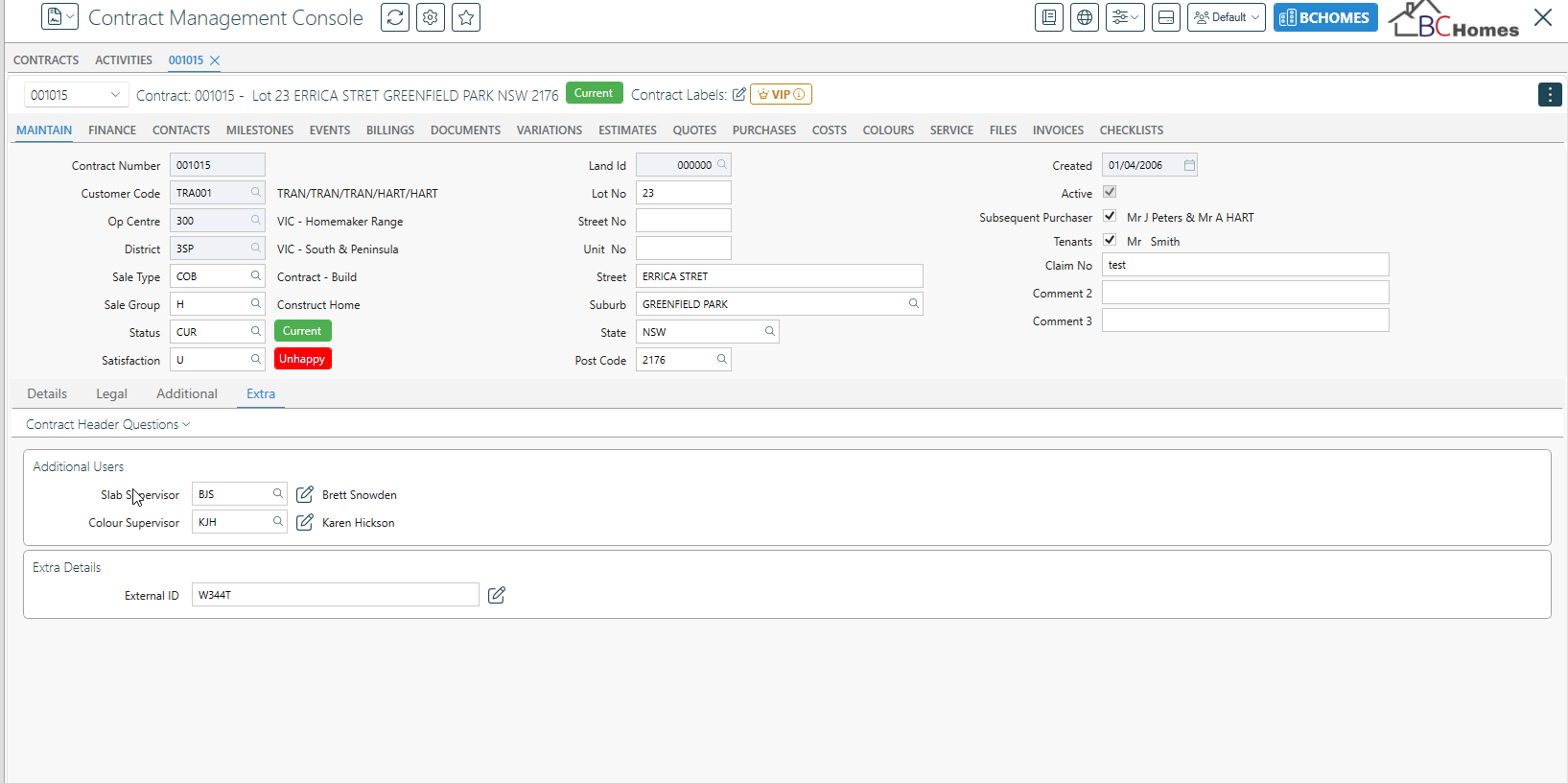
 ## Contracts Management Console – Extra Information
Use Extra Information to add fields to be maintained as if they are
standard Contract fields on an additional tab within the Maintain tab of
the console with lookup options if needed:
## Contracts Management Console – Extra Information
Use Extra Information to add fields to be maintained as if they are
standard Contract fields on an additional tab within the Maintain tab of
the console with lookup options if needed:
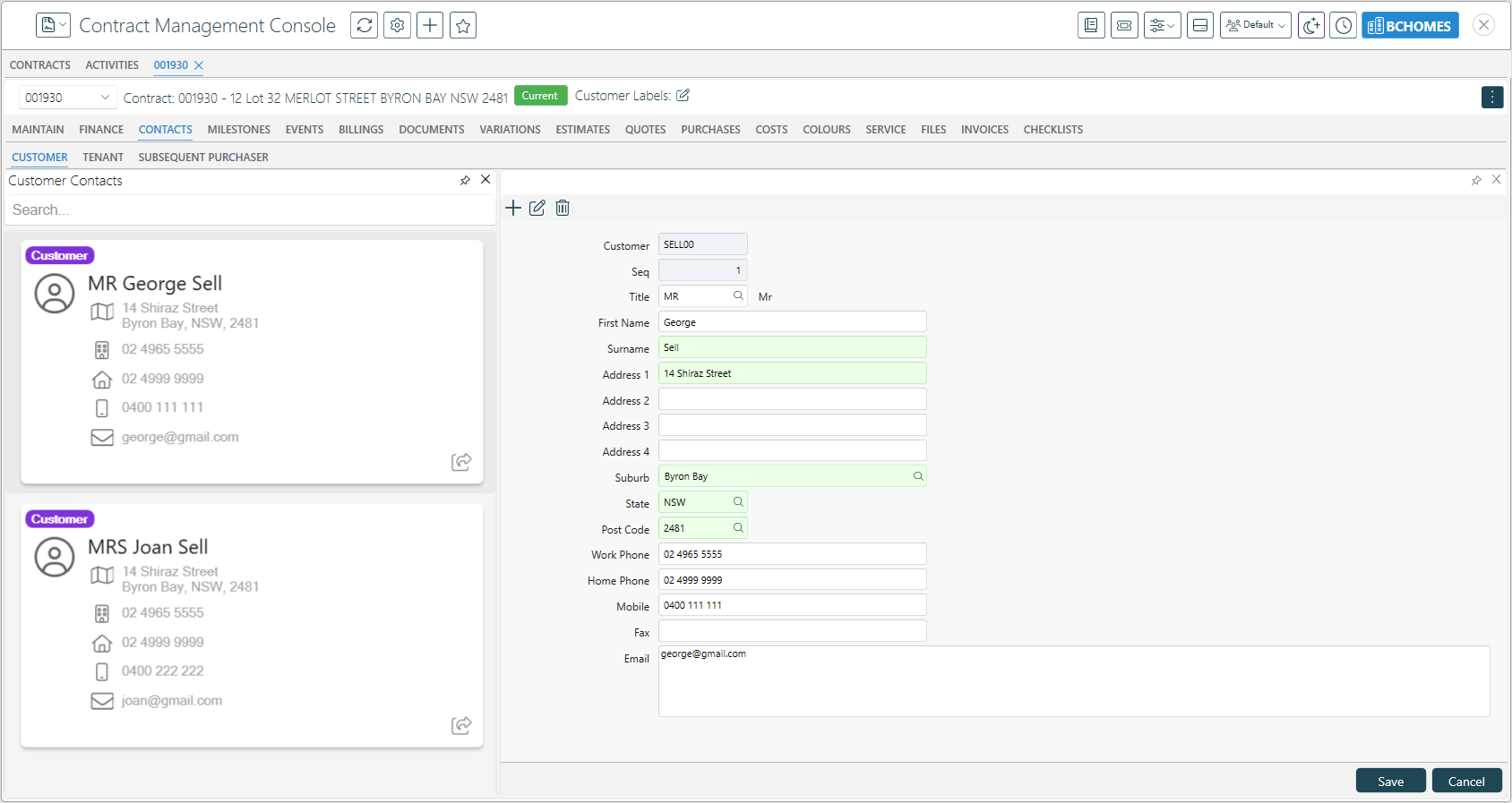
 ## Contract Management Console – Contacts Card View
View and edit Contacts (Customer, Tenant, and Subsequent Purchase) in a
Card View style Tab (may need to be switched on in Console Template
Settings):
## Contract Management Console – Contacts Card View
View and edit Contacts (Customer, Tenant, and Subsequent Purchase) in a
Card View style Tab (may need to be switched on in Console Template
Settings):
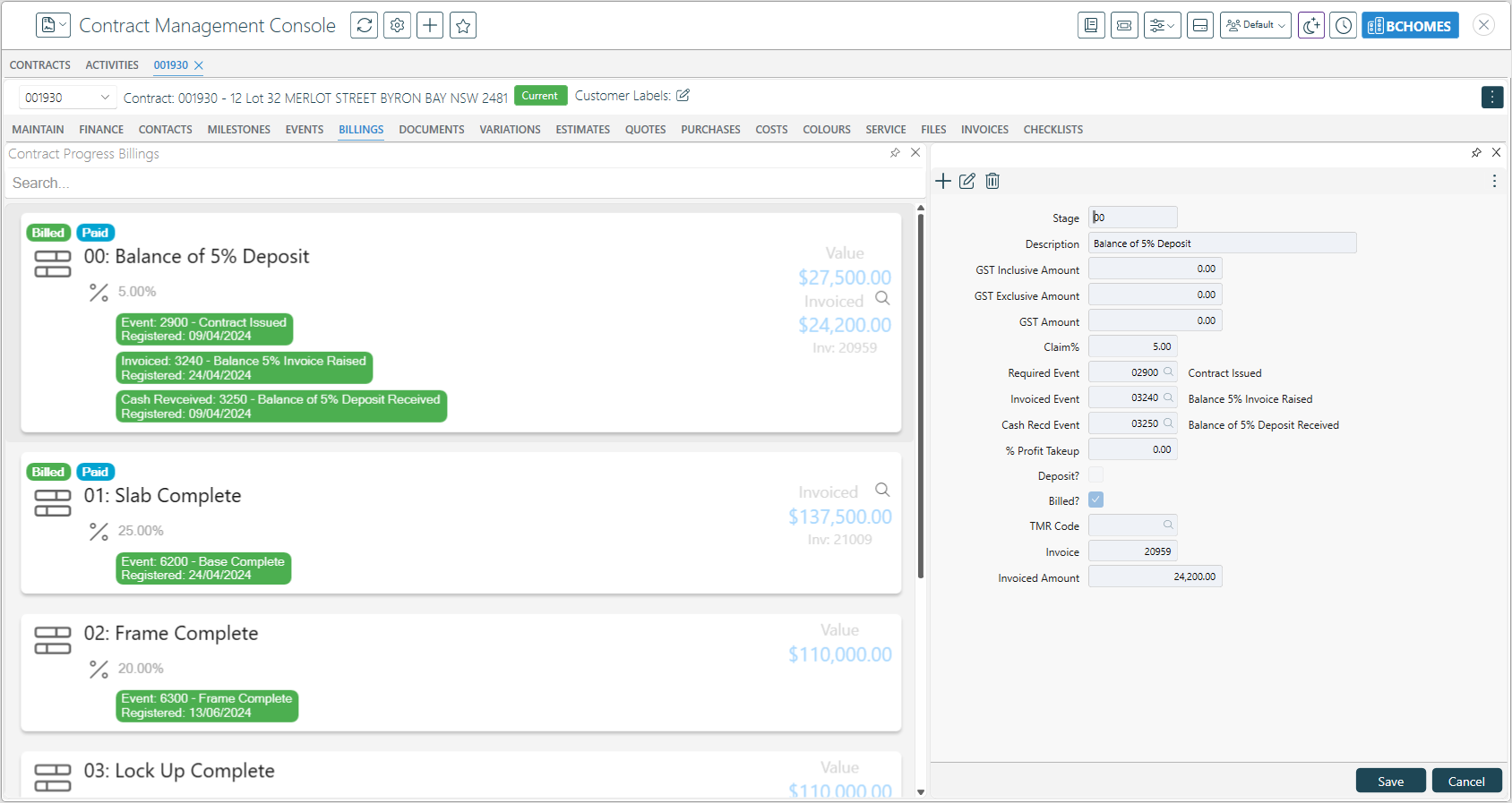
 ## Contract Management Console – Progress Billing Card View
View and edit Progress Billings in a Card View style Tab – note Search
option to find billings quickly:
## Contract Management Console – Progress Billing Card View
View and edit Progress Billings in a Card View style Tab – note Search
option to find billings quickly:
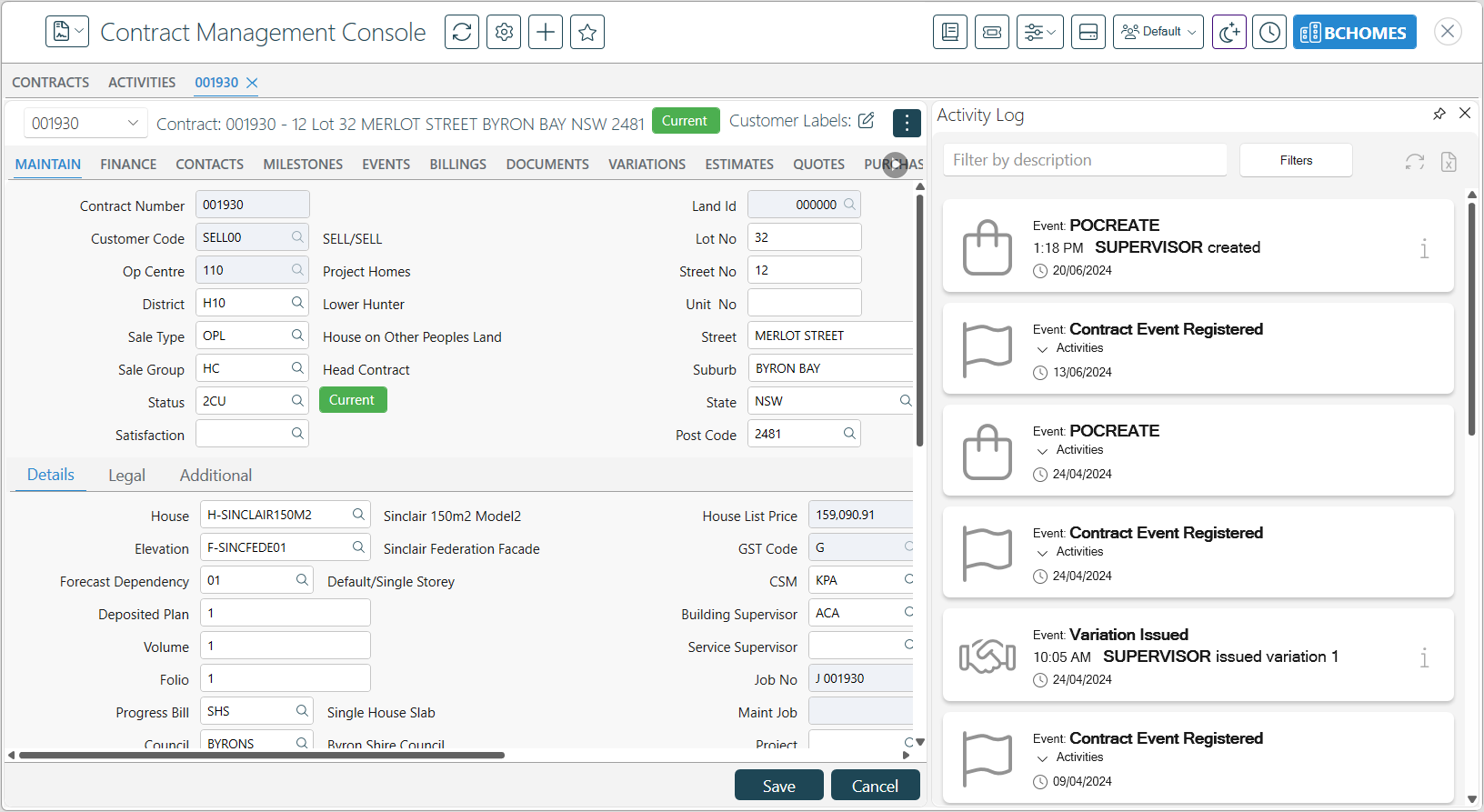
 ## Contract Management Console – Activity Log
Use the shortcuts icon and select Show Activity Log to see a
chronological log of event activity, The log can be filtered, pinned,
refreshed, and exported as needed:
## Contract Management Console – Activity Log
Use the shortcuts icon and select Show Activity Log to see a
chronological log of event activity, The log can be filtered, pinned,
refreshed, and exported as needed:
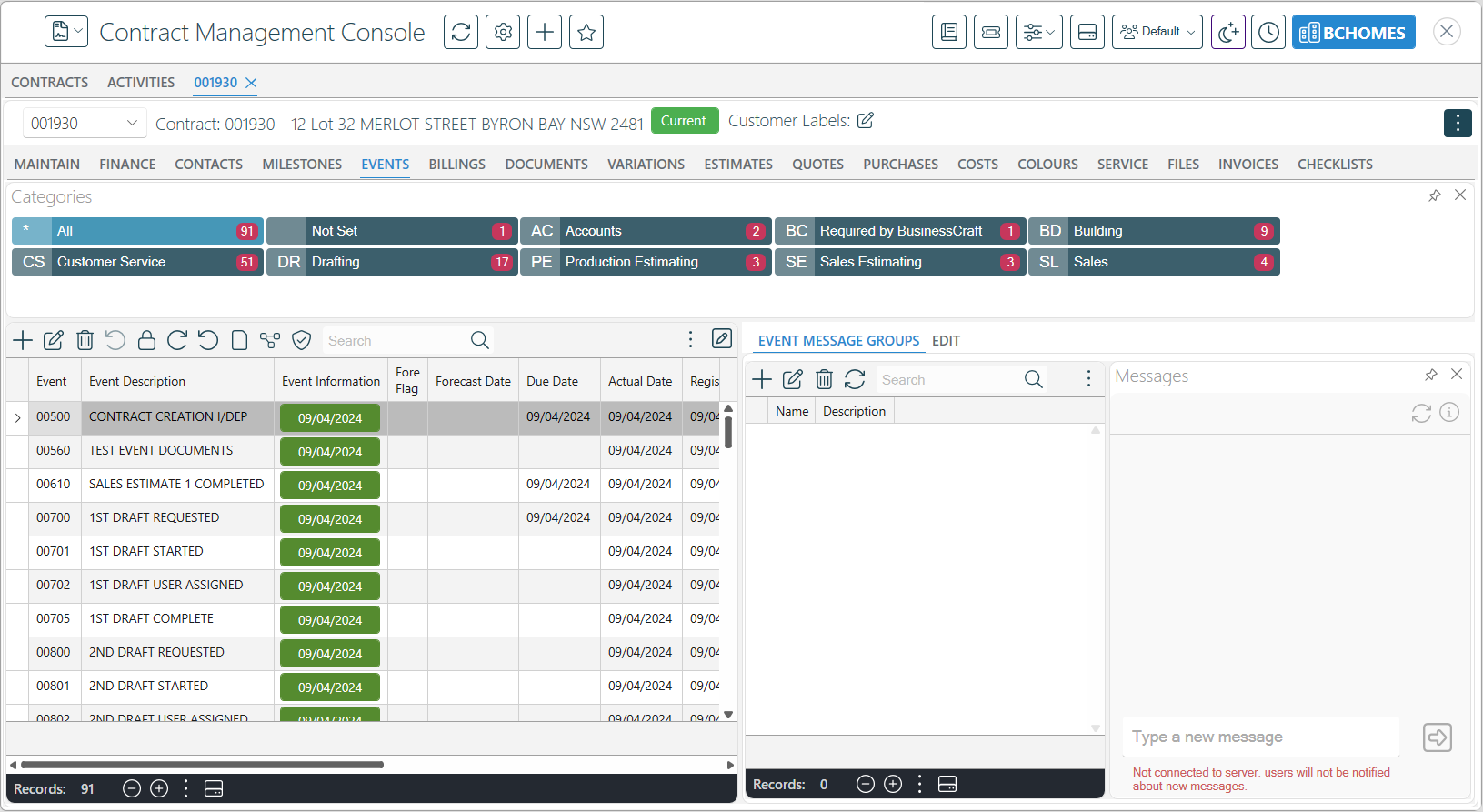
 ## Search bar moved into toolbar in Console Grids
Wherever practical, the Search option has been moved within the Toolbar
to save space:
## Search bar moved into toolbar in Console Grids
Wherever practical, the Search option has been moved within the Toolbar
to save space:
 # Administration Tools
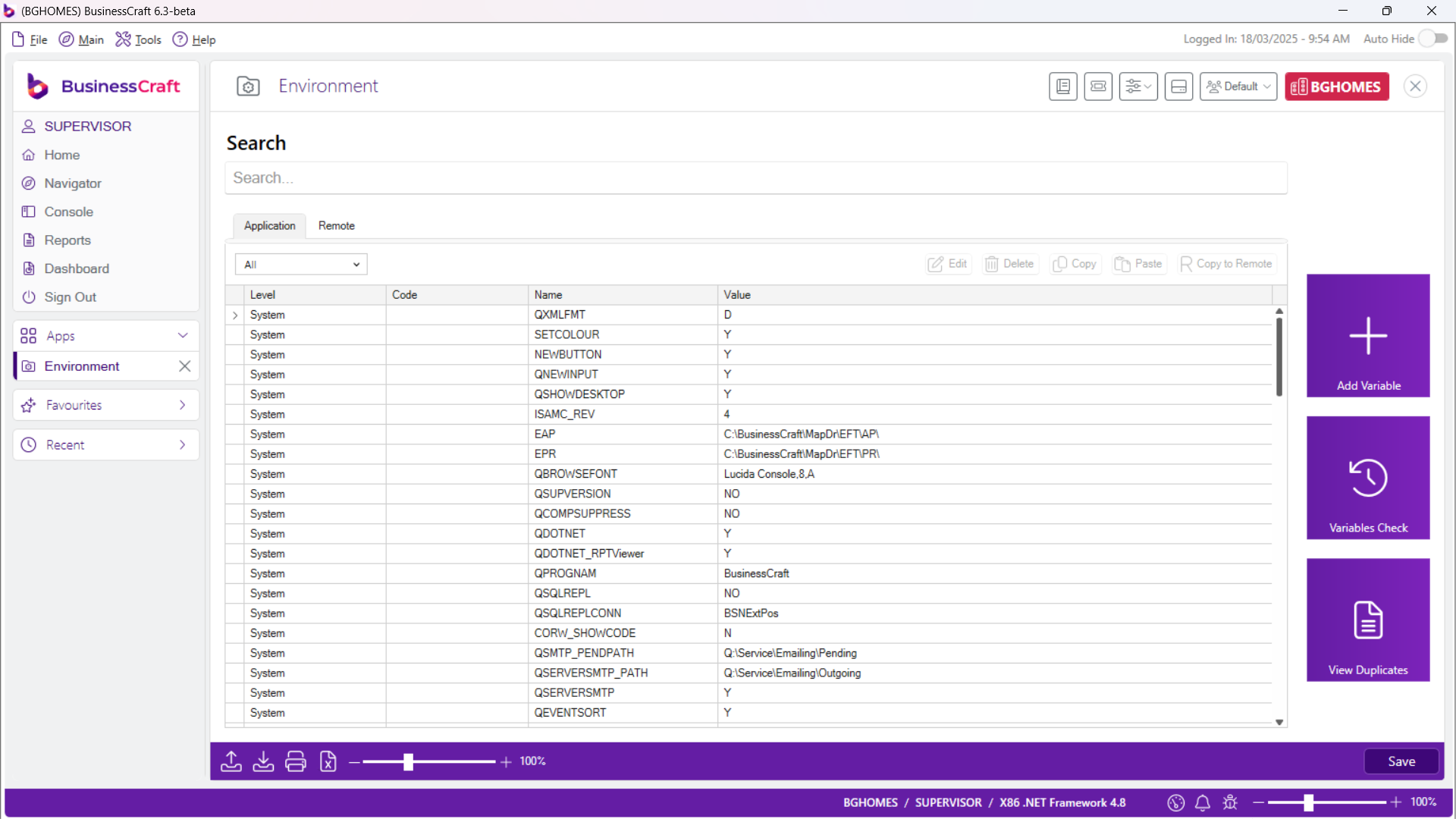
## Environment Variables
Redesigned screen with searching/filtering abilities to easily determine
current setup for Users/Groups/Companies.
Duplicate detection, specific login configuration.
# Administration Tools
## Environment Variables
Redesigned screen with searching/filtering abilities to easily determine
current setup for Users/Groups/Companies.
Duplicate detection, specific login configuration.
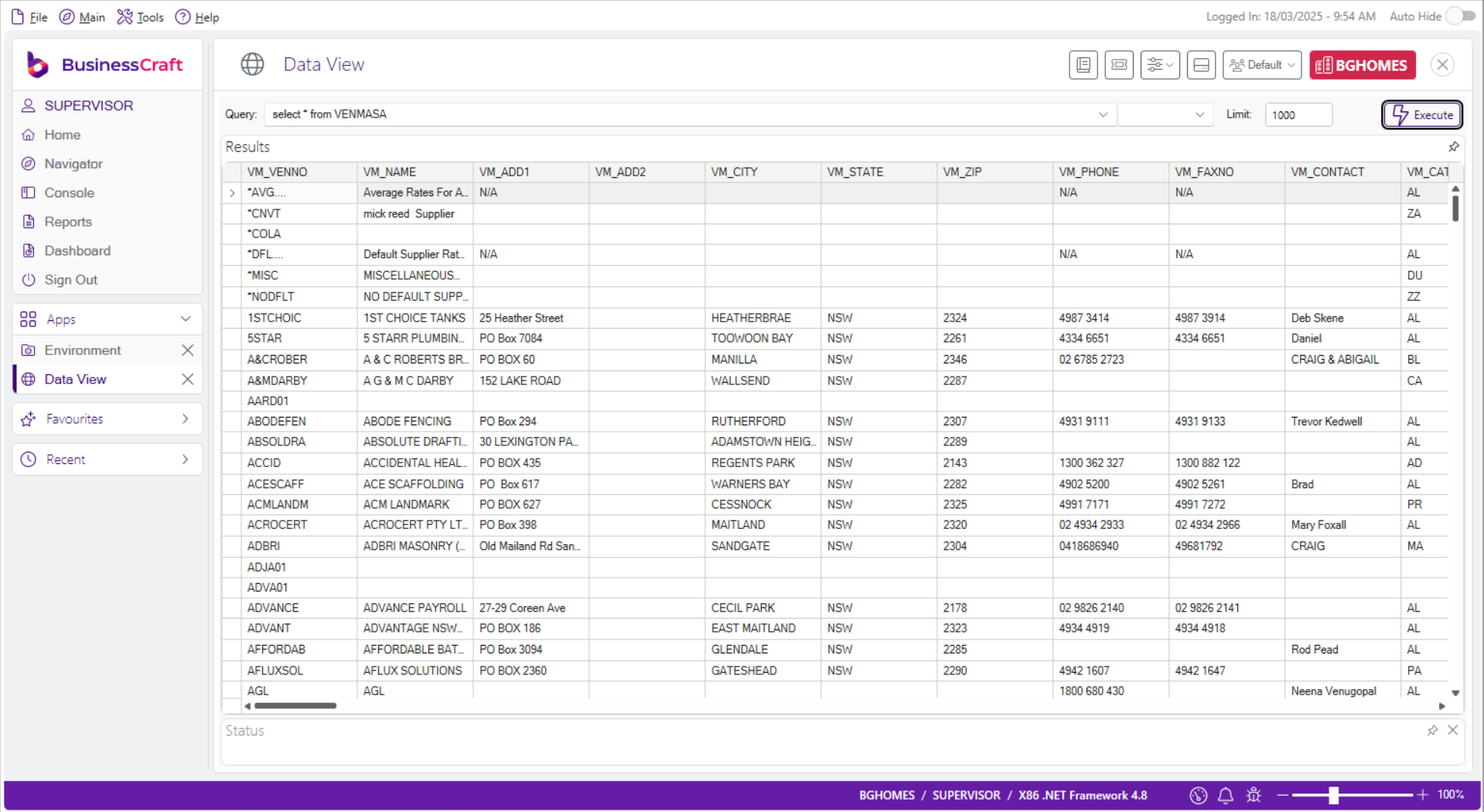
 ## Data View
Select Statements to
access data without ODBC and allow for inline editing for System
Administrators to correct data without need to export/import.
## Data View
Select Statements to
access data without ODBC and allow for inline editing for System
Administrators to correct data without need to export/import.
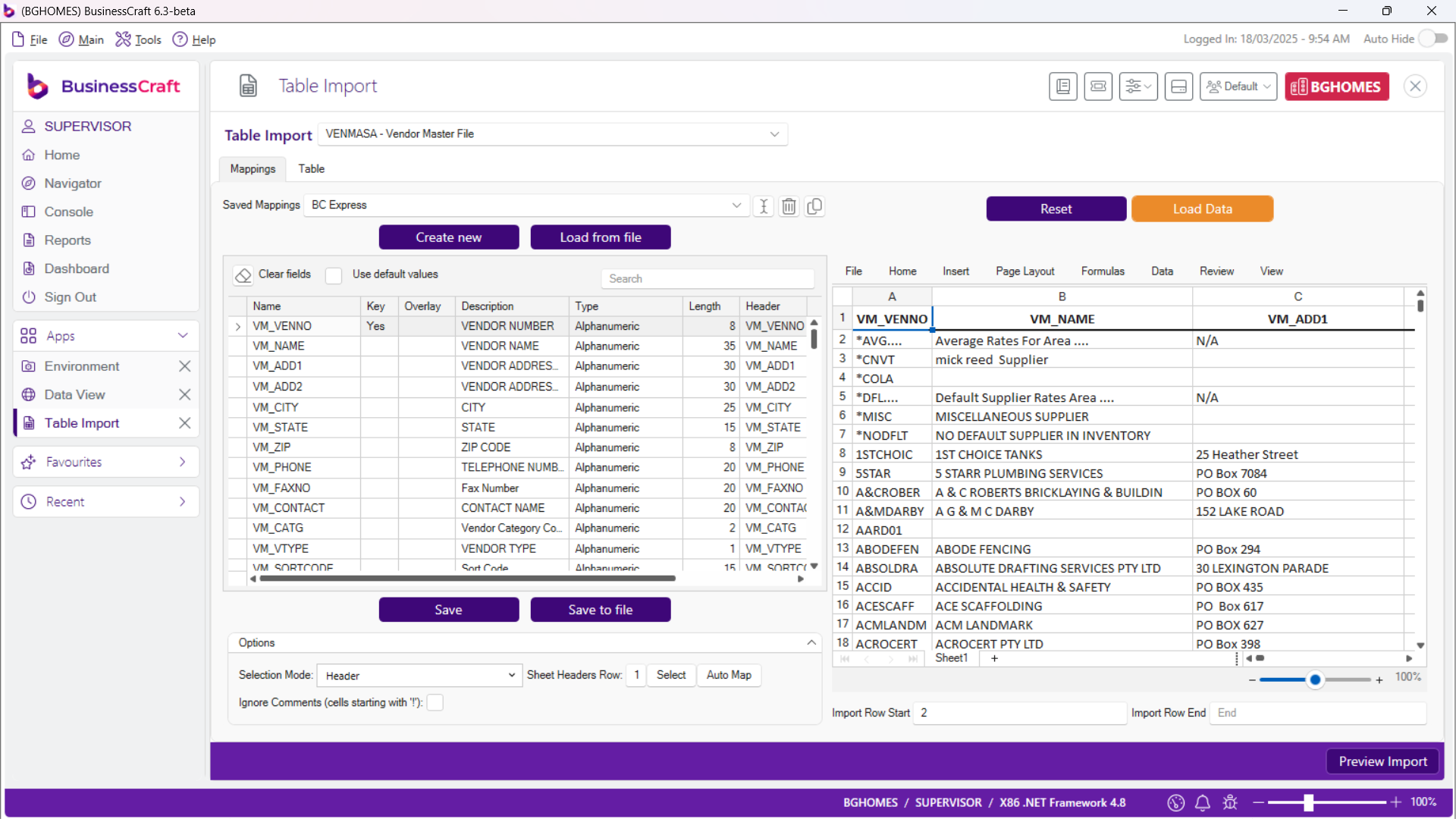
 ## Table Import
Use Table Import to view and prepare imports into specified tables:
## Table Import
Use Table Import to view and prepare imports into specified tables:
 ## xfServer Monitor
To view and manage record locks within BusinessCraft
## xfServer Monitor
To view and manage record locks within BusinessCraft
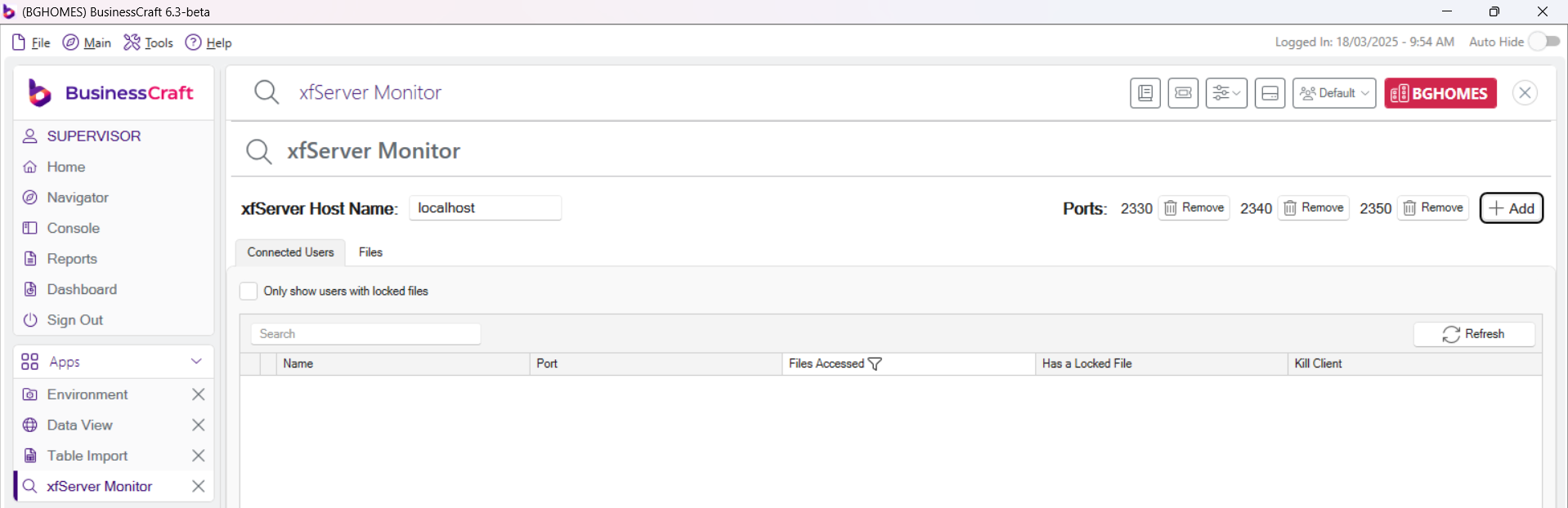 Including option to abort users with locked files.
# Security Setup
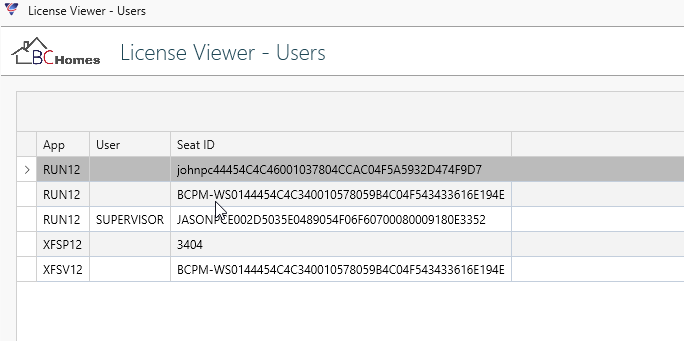
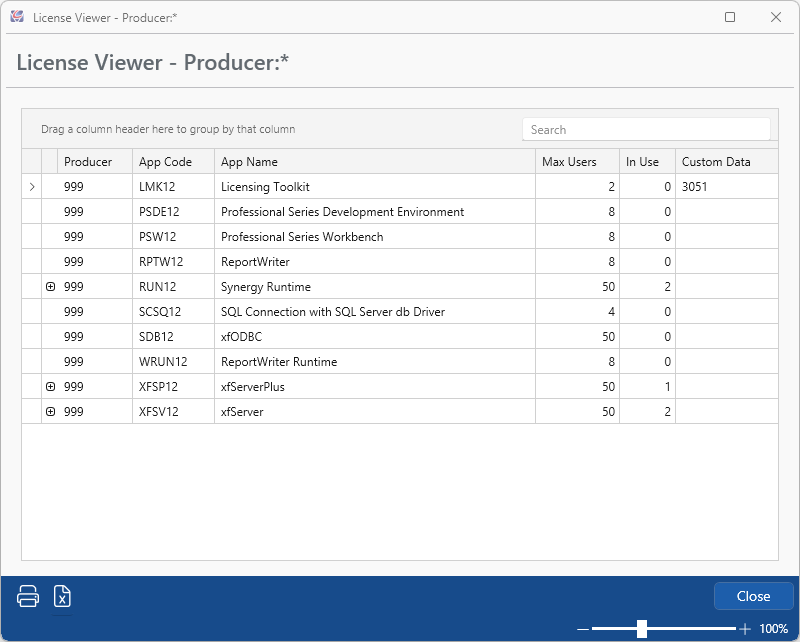
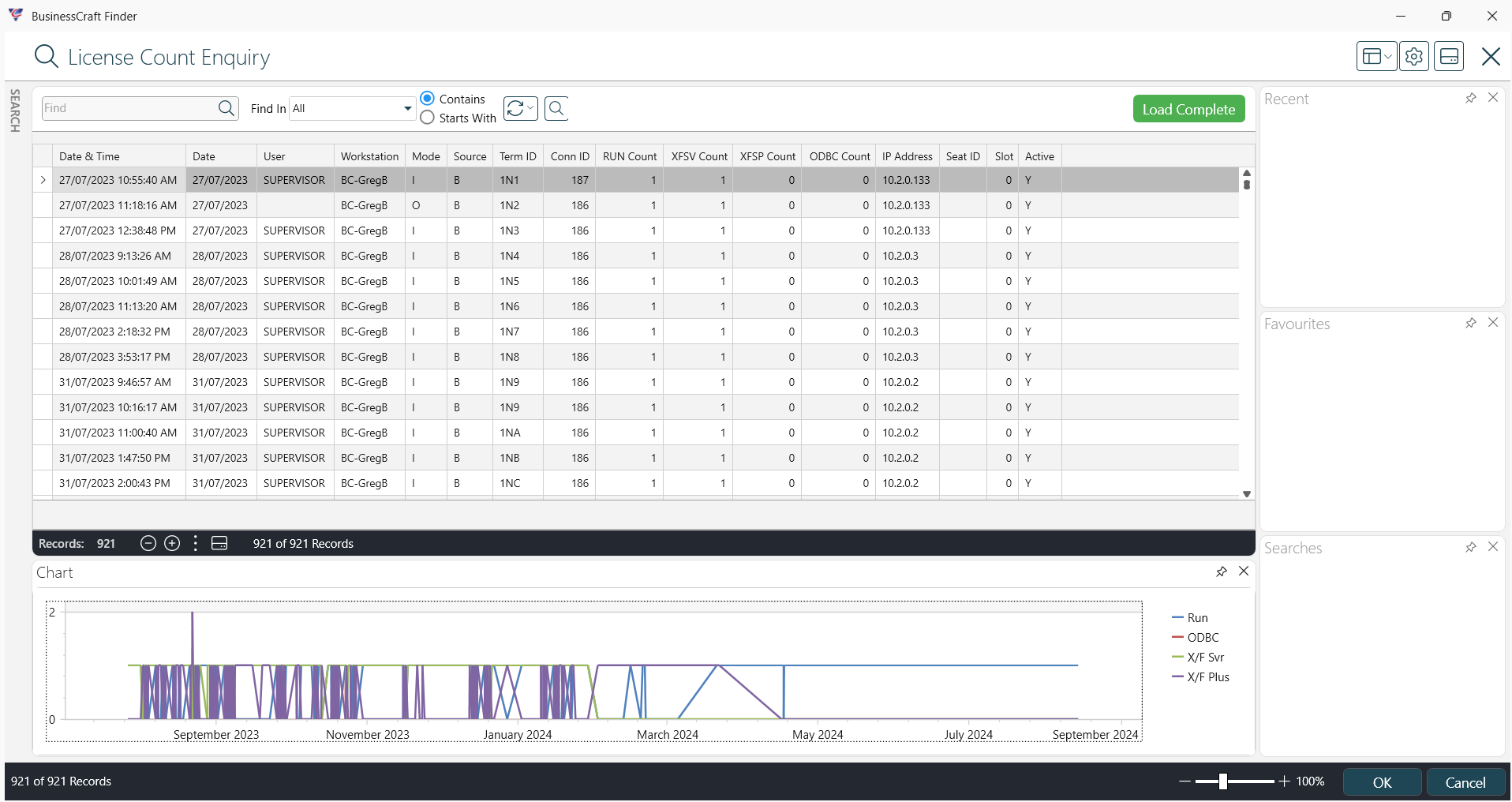
## License Viewer
Use License Viewer to view User, BusinessCraft, Synergex and Usage
information:
Including option to abort users with locked files.
# Security Setup
## License Viewer
Use License Viewer to view User, BusinessCraft, Synergex and Usage
information:
 ## Synergex
 ## Usage
 ## Supervisor Options
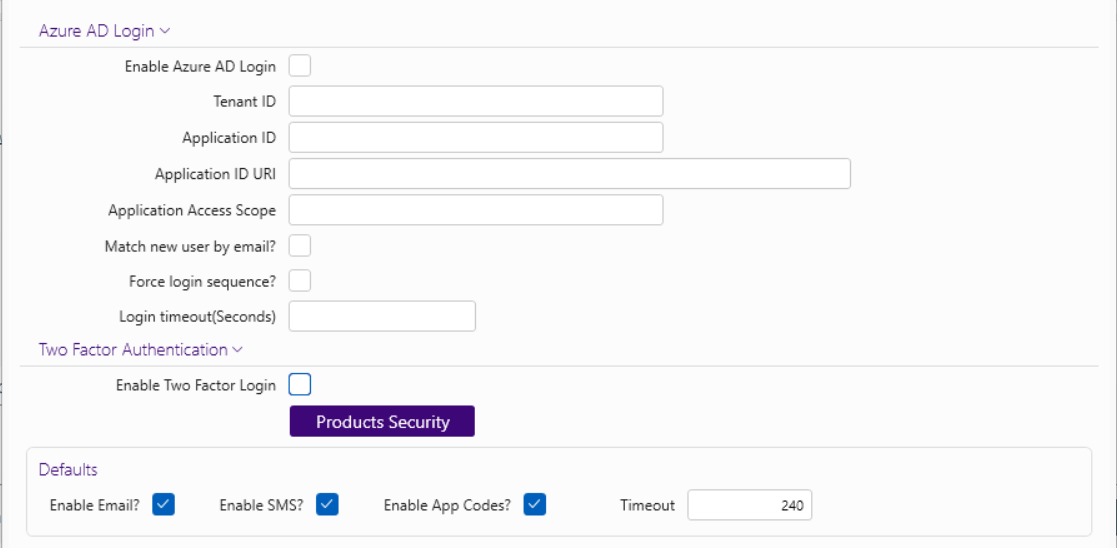
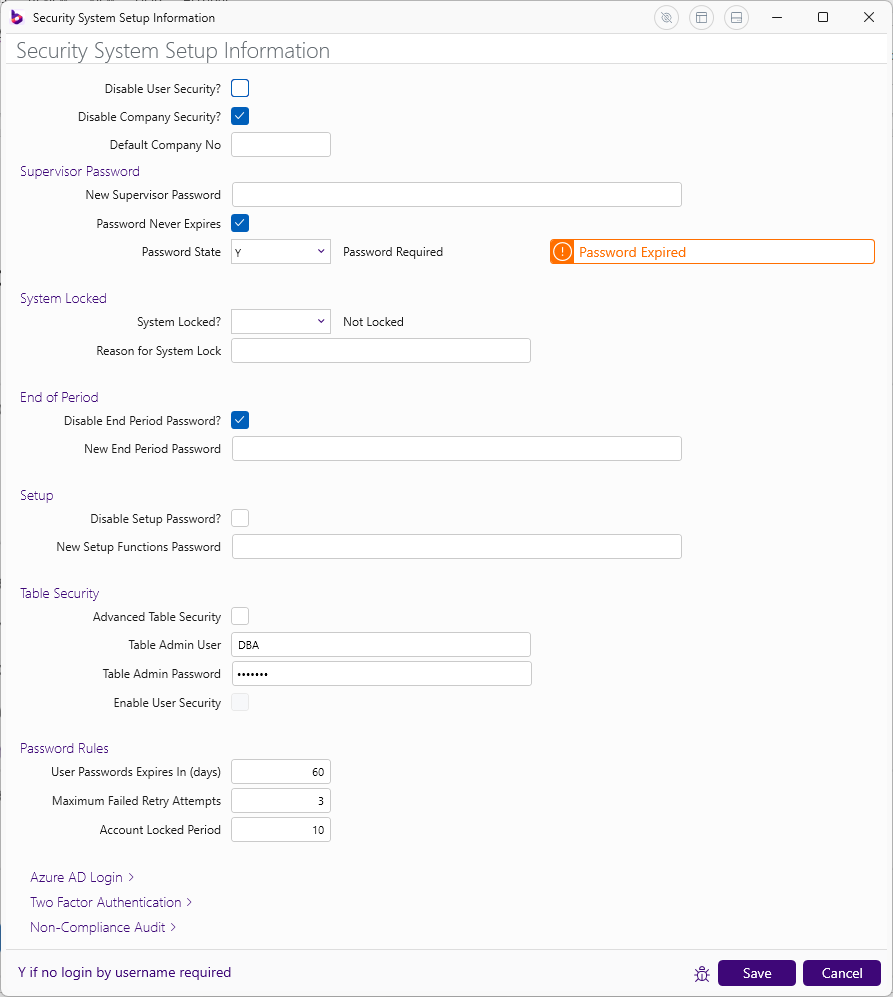 Support for Active Directory / Two Factor Authentication logins:
 ## Printer Templates
New interface with additional ease of use features including PDF
Signature, PDF Signature Password and PDF Open Password options for PDF
File Output option:
## Printer Templates
New interface with additional ease of use features including PDF
Signature, PDF Signature Password and PDF Open Password options for PDF
File Output option:
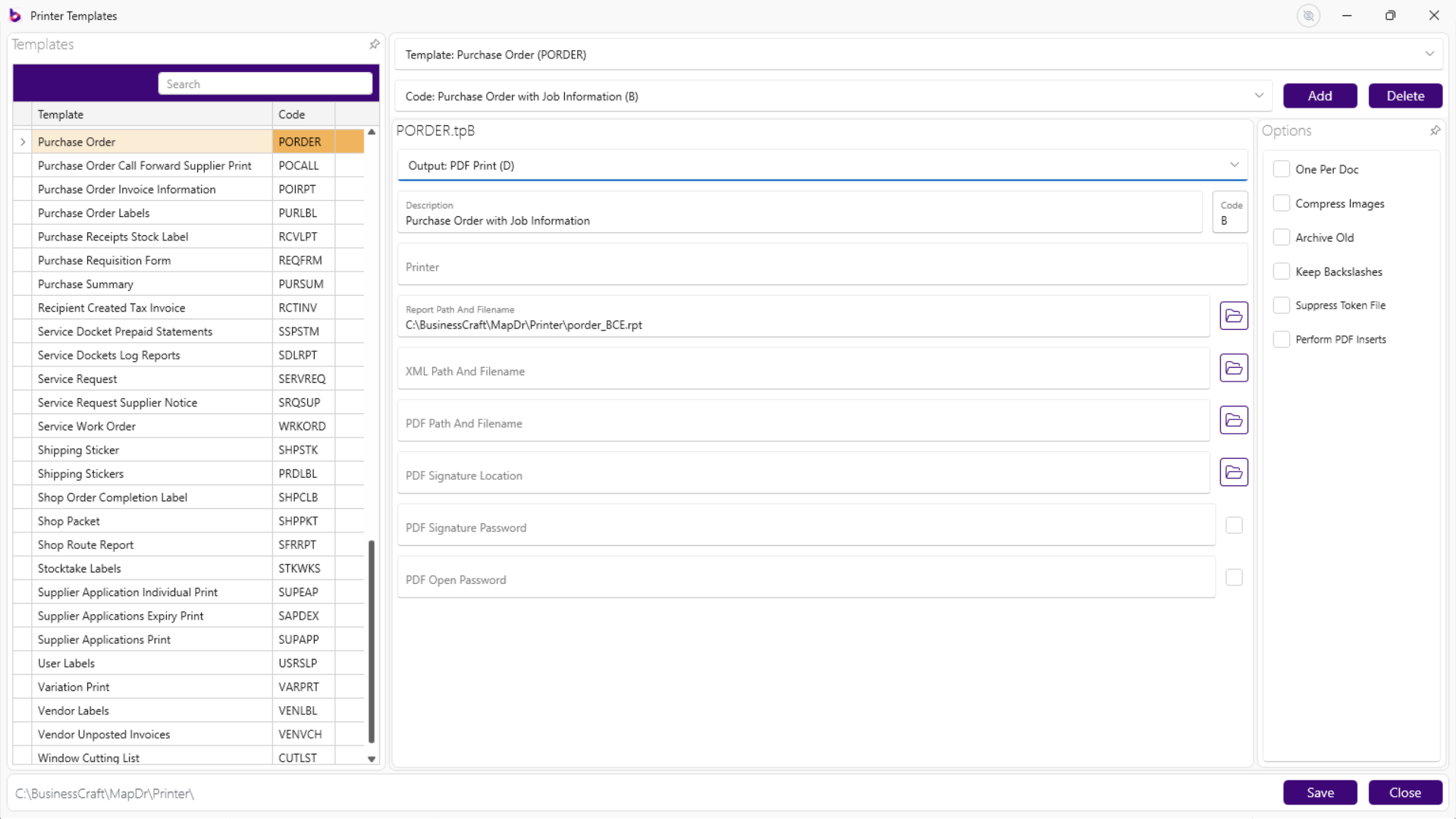 An option to Perform PDF inserts is now provided, giving access to PDF
Footer Token fields:
An option to Perform PDF inserts is now provided, giving access to PDF
Footer Token fields:
 # File Utilities
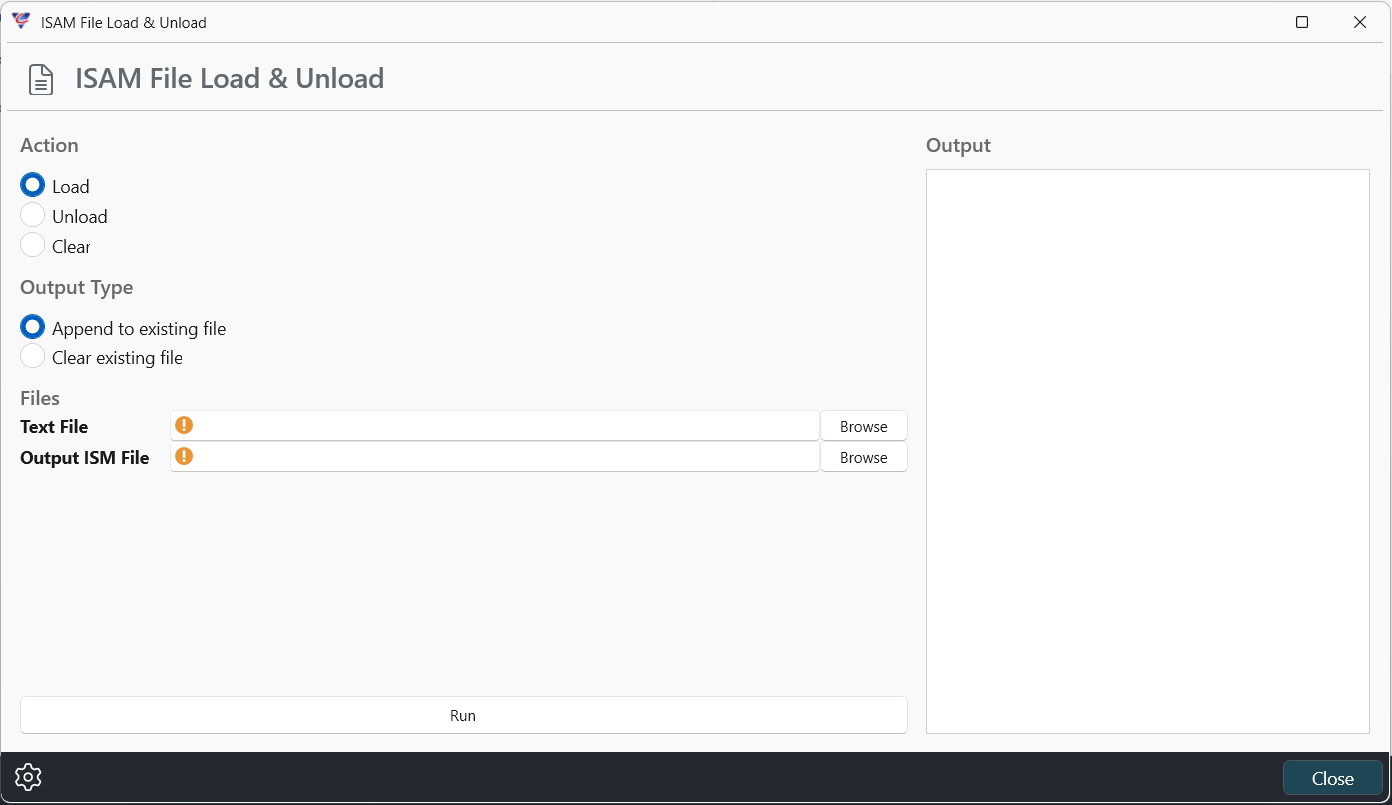
## ISAM Load and Unload
Improved screen to increase ease of use:
# File Utilities
## ISAM Load and Unload
Improved screen to increase ease of use:
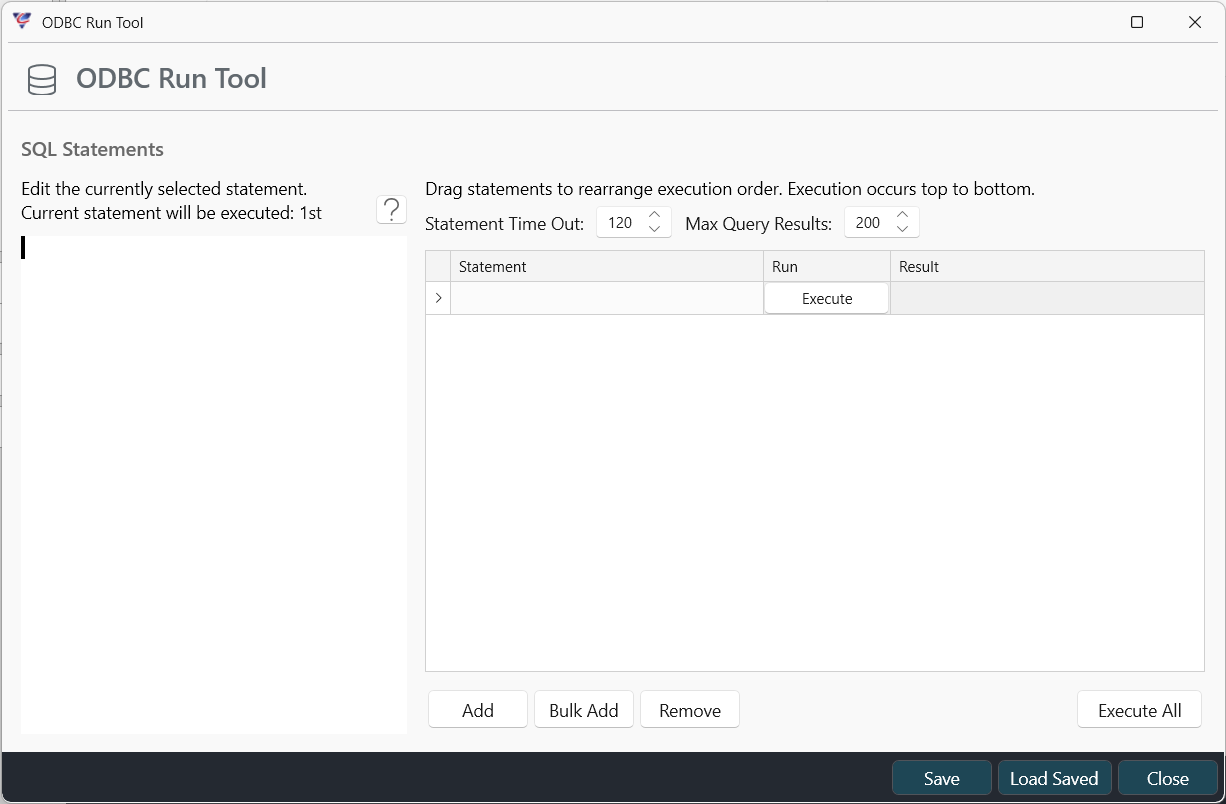
 ## ODBC Run Tool
New capability to use SQL Statements to update data:
## ODBC Run Tool
New capability to use SQL Statements to update data:
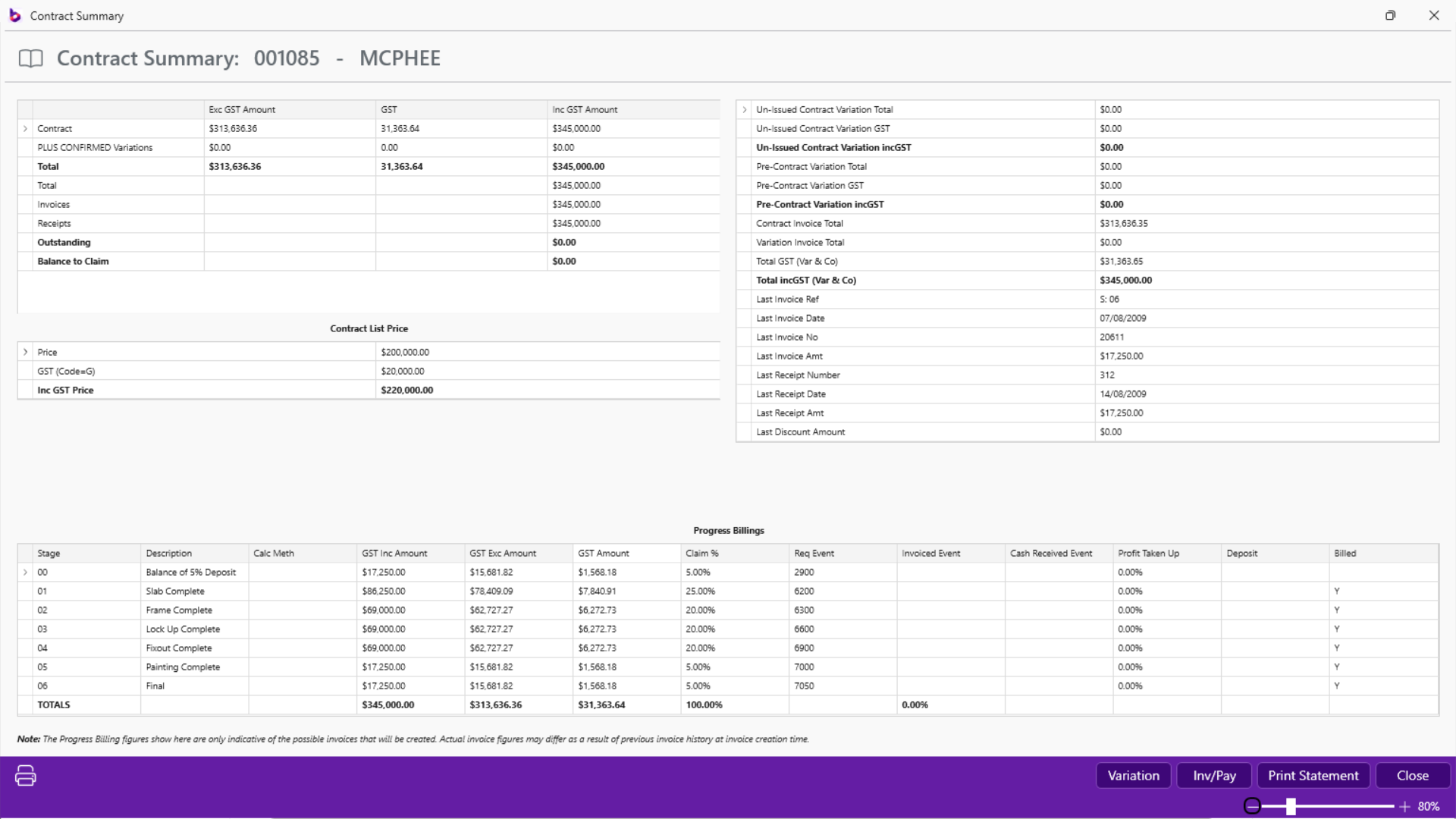
 # Contracts Module
## Cleaner look to many screens
# Contracts Module
## Cleaner look to many screens
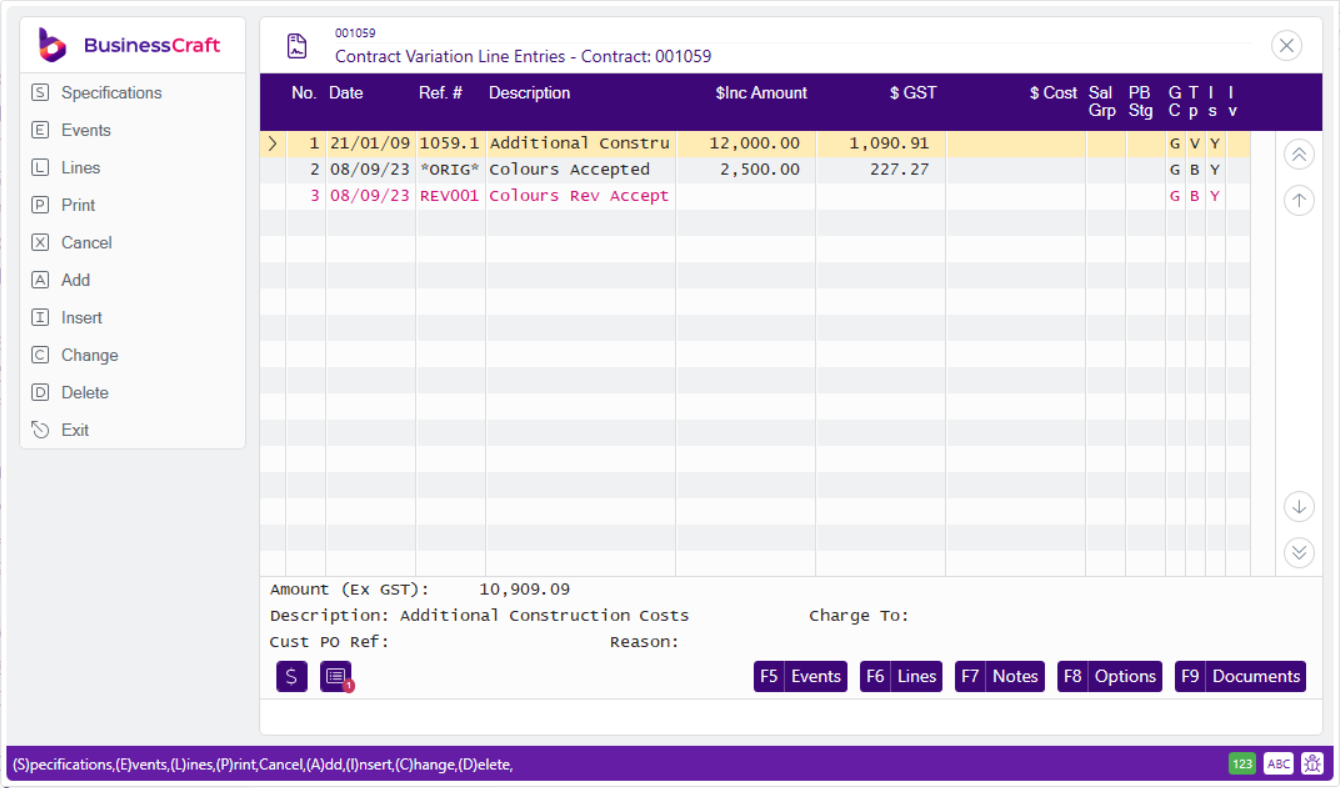
 ## Simple Variations Option
Provides ability to quickly create and issue a variation:
## Simple Variations Option
Provides ability to quickly create and issue a variation:
 # Job Costing Module
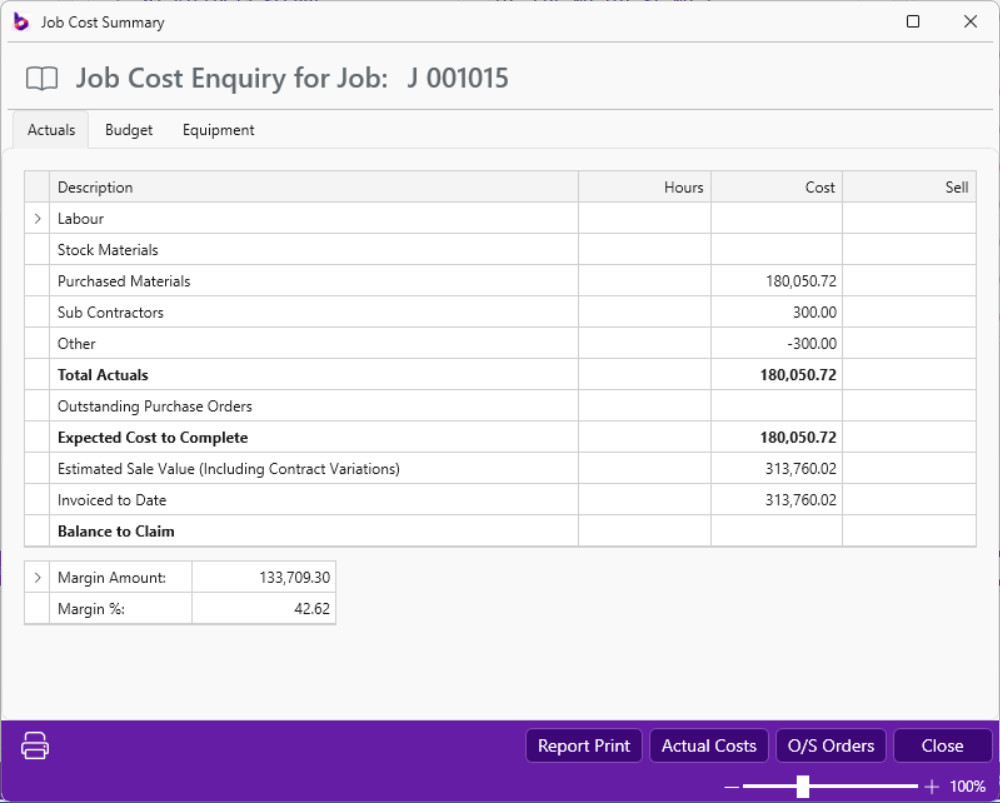
## Improved Cost Enquiry
# Job Costing Module
## Improved Cost Enquiry
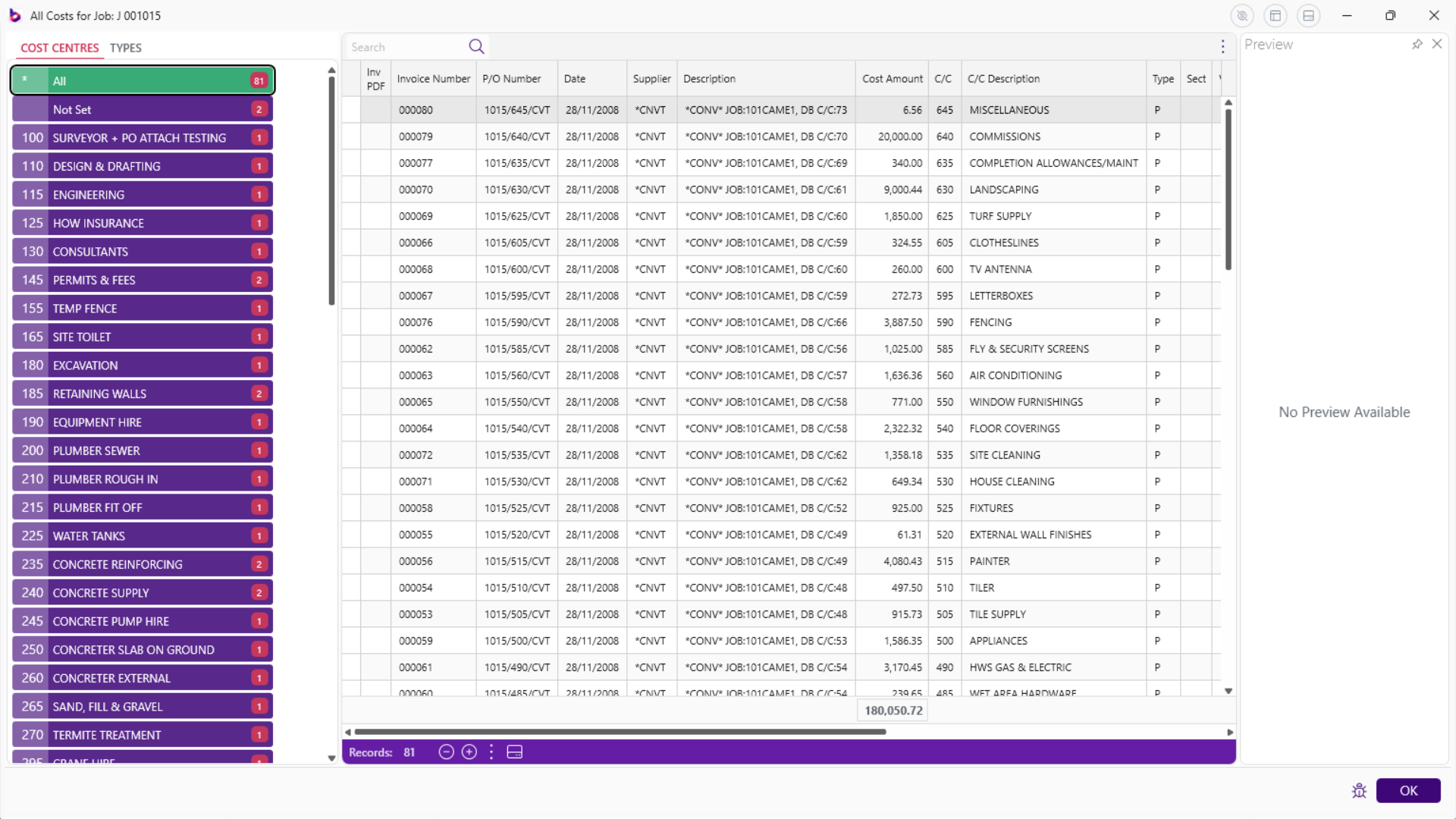
 ## Actual Costs and O/S Orders Grids
Includes ability to view by Cost Centre or Cost Type
## Actual Costs and O/S Orders Grids
Includes ability to view by Cost Centre or Cost Type
 # Miscellaneous Module
## Users
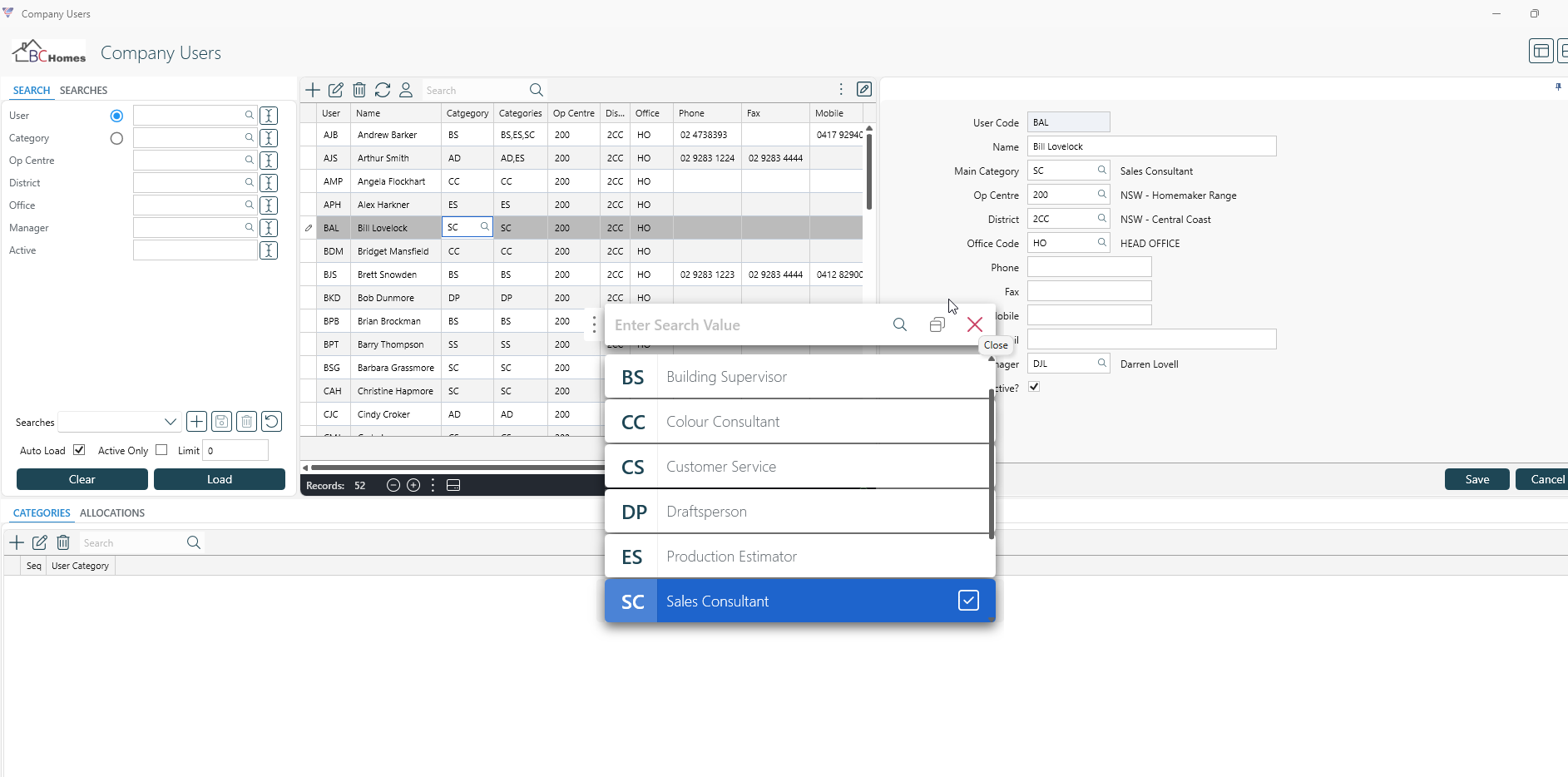
New Company Users Maintenance screen – searching/inline editing
# Miscellaneous Module
## Users
New Company Users Maintenance screen – searching/inline editing
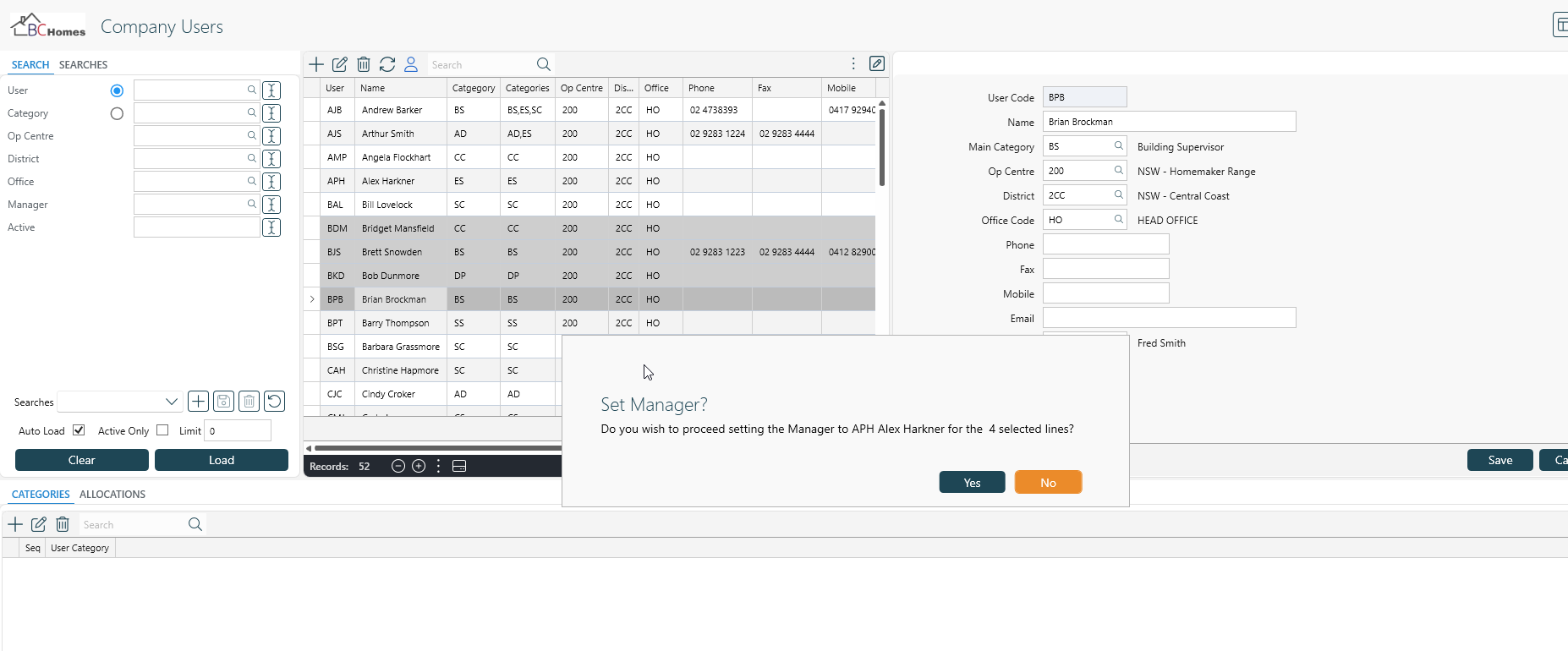
 New Set Manager function to update the Manger of a selection of Users
 ## Field Sets
Now included in Contract Report Writer XML output.
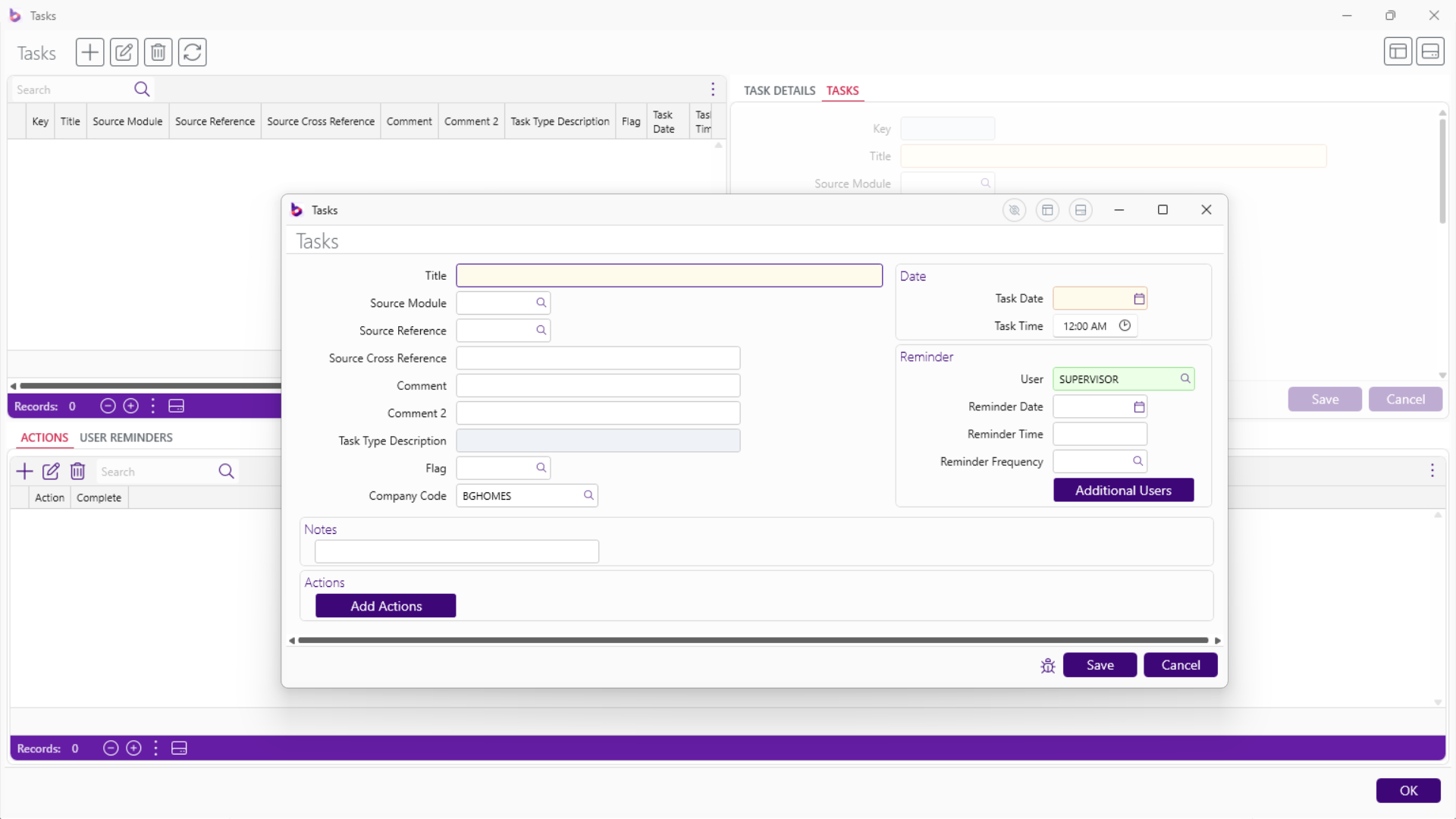
## Tasks and Reminders
New Tasks and Reminders capability with desktop display option:
## Field Sets
Now included in Contract Report Writer XML output.
## Tasks and Reminders
New Tasks and Reminders capability with desktop display option:
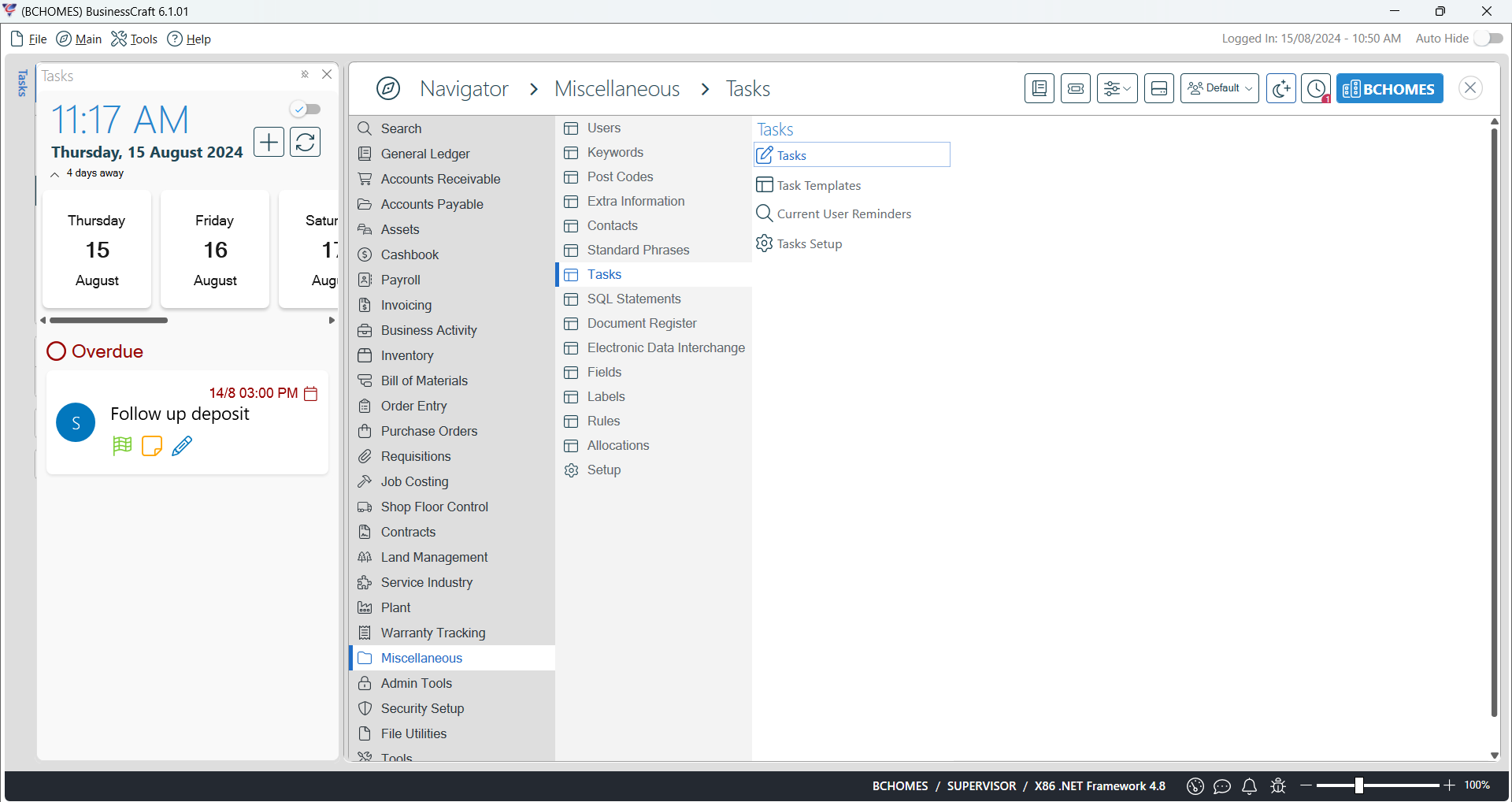
 Tasks and Reminders panel can be positioned on desktop and auto hidden
to display as needed:
Tasks and Reminders panel can be positioned on desktop and auto hidden
to display as needed:
 # Help
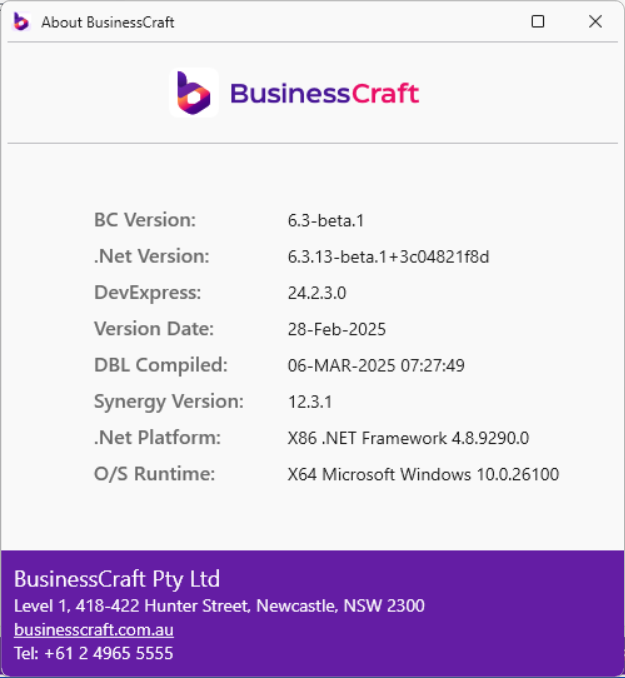
## About
# Help
## About